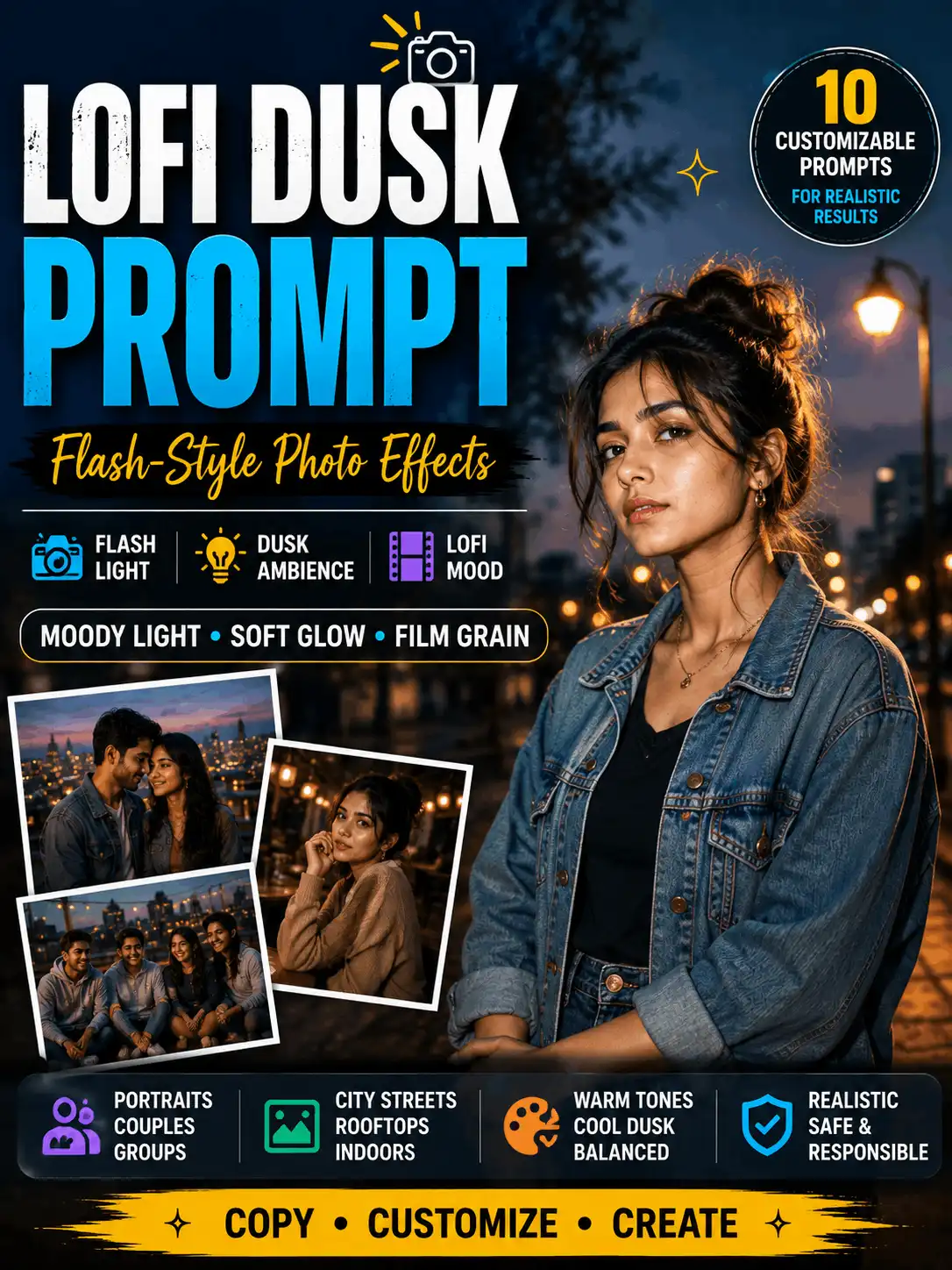
A lofi dusk prompt is useful when you want a portrait to feel as though it was photographed at the edge of evening with a small direct flash. The subject stays clear while the background remains darker, softer and atmospheric. This guide includes customizable prompts for city streets, rooftops, gardens, interiors, mirror-style images, traditional outfits, groups and Gemini-assisted edits. It also explains how to balance flash strength, background glow, grain, warmth and contrast so the result does not become too dark, overexposed or artificial. AI results vary by tool, model, source image and wording, so review and adjust every output.
QUICK ANSWER: Use a lofi dusk prompt that separately describes the subject, evening ambience, direct-flash strength, background light, color temperature, grain and camera style. Keep the flash focused on the subject and request a darker but readable background. Adjust one lighting variable at a time to reduce overexposure, orange skin and unrealistic glow.
IMPORTANT: The phrases “Instagram flash filter prompt,” “instagram lofi dusk filter prompt” and “lofi dusk filter instagram prompt” describe a visual style in this guide. They are not presented as official Instagram filter names or platform features.
The effect works by balancing two different light systems. Ambient dusk light establishes the blue-hour or warm-evening environment. Direct flash lifts the subject so the face, clothing and pose remain readable. A third element – a single practical lamp, window glow or subtle rim light – can add background depth without turning the scene into a neon fantasy.
This is narrower than a generic vintage, cinematic or night-photo style. Vintage prompts often prioritize an era or film treatment; cinematic prompts may use complex directional lighting and storytelling; night photography can be almost entirely dark. A lofi dusk filter prompt should keep the spontaneous social-photo character of direct flash while preserving enough atmosphere to understand the setting.
EFFECT-ANATOMY IMAGE INSERTION POINT: Add one original image with manual labels for ambient dusk, subject flash, background light, grain and contrast. Do not bake a long prompt into the generated image.
Lofi Dusk Prompt Formula
Build the instruction from concrete controls instead of stacking adjectives. The most important order is subject, environment, ambient-light level, flash, background source, color, texture and framing. When a reference image is involved, add preservation instructions after the requested effect.
Create or edit a realistic [adult subject] [pose] wearing [clothing] in a [dusk environment]. Use [low/medium] ambient evening light and [soft/medium/hard] direct flash from [direction], focused on the subject. Keep the background [slightly dark/readable] with [one practical light or soft glow] at [position]. Use [cool blue-hour/balanced warm dusk] color temperature, restrained film grain, natural contrast, realistic skin texture and a [lens/framing] look. [For a permitted reference image: preserve the same face, hairstyle, expression, pose, clothing and body proportions.] No extra people, distorted hands, random text, logos or watermarks. Use a [ratio] composition.
Start with medium flash and a readable background. Change one or two fields per attempt. For example, test flash strength first while keeping grain, warmth and background exposure unchanged. This makes it easier to understand why one result improved and another failed.
Lofi Dusk Filter Prompt Examples
The ten examples below cover distinct scenes rather than near-duplicate portraits. Replace descriptive details to create an original concept. Each result image should be generated from the exact prompt displayed beside it and should carry a real test date before being described as tested.
Outdoor City Dusk Portrait
ORIGINAL IMAGE INSERTION POINT: Add the manually reviewed result generated from the exact prompt below. Include the real tool/model when known, test date, ratio and one honest result note.
Create a realistic editorial portrait of an adult Indian creator standing on a quiet city street at blue hour. Dress the subject in a simple dark jacket over a neutral top and use a relaxed three-quarter pose. Add a small direct flash from camera level so the face and clothing are clear, while the street remains slightly dark but readable. Include soft shop-window glow and distant streetlights without readable signs. Use cool evening tones, restrained grain, natural skin texture, realistic hands, balanced contrast and a 4:5 portrait composition. No extra people, random text, logos, oversaturation or harsh plastic skin.
Best for
Editorial portraits, social-feed images and city lifestyle concepts.
Customize
Adult subject, clothing, street type, pose, flash softness, background exposure and color temperature.
Suggested ratio
4:5
Review
Check facial highlights, hand shape, street signs, edge halos and whether the background is still visible.
Test status
Illustrative prompt – label as tested only after AskExclusive generates and reviews the matching output.
Rooftop Blue-Hour Portrait
ORIGINAL IMAGE INSERTION POINT: Add the manually reviewed result generated from the exact prompt below. Include the real tool/model when known, test date, ratio and one honest result note.
Create a clean blue-hour rooftop portrait of an adult Indian creator with a safe standing position away from the roof edge. Use fashionable but unbranded clothing, calm eye contact and a natural posture. Keep the cool evening sky and subtle city lights visible. Add medium-soft direct flash from slightly above camera level, with a faint rim light separating the hair from the skyline. Use realistic skin texture, detailed fabric, gentle background blur, restrained grain and a 3:4 editorial crop. No dangerous rooftop behavior, logos, random text, distorted hands or excessive neon.
Best for
Creator profiles, modern portraits and 3:4 editorial images.
Customize
Sky color, skyline density, outfit, rim light, flash direction and lens look.
Suggested ratio
3:4
Review
Confirm safe scene staging, natural skin tone, realistic skyline depth and clean hair edges.
Test status
Illustrative prompt – label as tested only after AskExclusive generates and reviews the matching output.
Garden Dusk Portrait
ORIGINAL IMAGE INSERTION POINT: Add the manually reviewed result generated from the exact prompt below. Include the real tool/model when known, test date, ratio and one honest result note.
Create a realistic portrait of an adult Indian woman in a simple elegant outfit standing in a garden shortly after sunset. Keep plants and a few flowers visible as a soft, natural background rather than bright neon color. Use a small soft direct flash to illuminate the face, clothing and hands, while preserving warm dusk ambience behind her. Add one subtle garden lamp in the distance, natural skin texture, accurate jewellery, realistic fabric folds, shallow depth of field and a 4:5 crop. Avoid orange skin, glowing outlines, extra flowers, distorted fingers, random lettering and overprocessed contrast.
Best for
Soft portraits, floral settings and warm evening looks.
Customize
Flowers, greenery, outfit color, dusk warmth, depth of field and flash softness.
Illustrative prompt – label as tested only after AskExclusive generates and reviews the matching output.
Direct-Flash Street Photograph
ORIGINAL IMAGE INSERTION POINT: Add the manually reviewed result generated from the exact prompt below. Include the real tool/model when known, test date, ratio and one honest result note.
Create a candid-looking direct-flash street photograph of an adult creator standing beside a rain-darkened pavement at dusk. Use one coherent pose with the subject looking slightly away from the camera. Apply firmer camera-level flash with quick falloff, keeping the subject crisp and the background one to two stops darker. Show realistic pavement reflections, subtle evening blue tones, restrained film grain and documentary-style framing in a 3:4 ratio. Keep all bystanders absent or unidentifiable. No brand signs, random text, excessive motion blur, crushed black background or overexposed facial highlights.
Best for
Candid editorial scenes and a stronger flash filter prompt look.
Customize
Standing or walking pose, pavement texture, flash direction, grain, contrast and shutter feel.
Suggested ratio
3:4
Review
Review highlight clipping, pavement reflections, facial sharpness, grain and any unintended bystanders.
Test status
Illustrative prompt – label as tested only after AskExclusive generates and reviews the matching output.
Indoor Low-Light Flash Portrait
ORIGINAL IMAGE INSERTION POINT: Add the manually reviewed result generated from the exact prompt below. Include the real tool/model when known, test date, ratio and one honest result note.
Create a realistic indoor portrait of an adult Indian creator seated in a generic café-style interior during the evening. Use warm practical lamps in the background and medium direct flash on the subject. Keep the room details visible but subdued, with natural shadow falloff behind the chair. Balance warm ambient light with neutral skin tones, realistic eyes, natural fabric texture, subtle grain and a 4:5 portrait crop. Use no recognizable venue branding or personal information. Avoid orange skin, black background, double shadows, random text, distorted hands and excessive smoothing.
Best for
Café, home-studio and warm interior concepts.
Customize
Room type, lamp color, clothing, white balance, flash strength and shadow softness.
Suggested ratio
4:5
Review
Check white balance, double shadows, lamp detail, background readability and skin texture.
Test status
Illustrative prompt – label as tested only after AskExclusive generates and reviews the matching output.
Mirror-Style Lofi Dusk Image
ORIGINAL IMAGE INSERTION POINT: Add the manually reviewed result generated from the exact prompt below. Include the real tool/model when known, test date, ratio and one honest result note.
Create a realistic mirror-style portrait of an adult Indian creator in a tidy generic room at dusk. Show the phone held naturally without covering the entire face. Add a controlled phone-flash reflection that brightens the subject but does not create a large white flare in the mirror. Keep the room darker yet readable with one soft lamp in the background. Use natural skin, accurate hands, realistic mirror geometry, restrained grain and a 4:5 composition. No private information, logos, duplicated phones, warped reflections, generated text or overexposed face.
Best for
One contextual mirror example without replacing the dedicated mirror-selfie guide.
Inspect reflection geometry, phone and hand accuracy, face visibility, private details and flare size.
Test status
Illustrative prompt – label as tested only after AskExclusive generates and reviews the matching output.
Traditional Outfit Dusk Portrait
ORIGINAL IMAGE INSERTION POINT: Add the manually reviewed result generated from the exact prompt below. Include the real tool/model when known, test date, ratio and one honest result note.
Create a respectful dusk portrait of an adult Indian woman wearing a detailed silk saree in a heritage courtyard. Use subtle evening ambience, one warm lamp behind the subject and soft direct flash that reveals natural skin texture, jewellery and fabric without flattening the scene. Preserve realistic saree drape, accurate hands, natural posture and culturally coherent styling. Use restrained grain, balanced warm and cool tones, shallow depth of field and a 3:4 editorial crop. No unrelated religious symbols, random text, logos, over-smoothed skin, distorted jewellery or artificial glowing outlines.
Best for
Respectful Indian saree or kurta portraits with subdued evening flash.
Check saree drape, jewellery, hands, skin tone, cultural coherence and lamp placement.
Test status
Illustrative prompt – label as tested only after AskExclusive generates and reviews the matching output.
Friends or Small-Group Flash Portrait
ORIGINAL IMAGE INSERTION POINT: Add the manually reviewed result generated from the exact prompt below. Include the real tool/model when known, test date, ratio and one honest result note.
Create a realistic evening group portrait showing exactly three adults standing left, centre and right outside a generic café. Give each person a distinct face, natural spacing and relaxed family-safe expressions. Use medium direct flash spread evenly across all three people, with warm window light behind them and a darker but readable street. Keep clothing unbranded, hands visible and body proportions accurate. Use restrained grain and a 4:5 group composition with safe margins. No extra people, duplicate faces, merged limbs, random text, logos or misleading relationship cues.
Best for
Two to four adults in a social portrait with consistent flash spread.
Count people, inspect every face and hand, check spacing, flash consistency and duplicated features.
Test status
Illustrative prompt – label as tested only after AskExclusive generates and reviews the matching output.
Background Light Adjustment Prompt
ORIGINAL IMAGE INSERTION POINT: Add the manually reviewed result generated from the exact prompt below. Include the real tool/model when known, test date, ratio and one honest result note.
Edit the permitted reference image by keeping the same adult subject, face, hairstyle, expression, clothing, pose, body proportions, camera angle and full background layout. Add only one soft practical light behind the subject on the [left/right] side, using a muted [amber/cool blue] glow at low intensity. Keep the existing background objects and perspective unchanged. Match the new light to the original shadow direction and add subtle separation around the hair and shoulders. Do not replace the background, change the person, add extra objects, create random text, logos or unnatural halos. Preserve the source aspect ratio.
Best for
A controlled background light prompt that changes illumination without swapping the setting.
Customize
Permitted image, preserved details, light color, light position, intensity, shadow direction and crop.
Suggested ratio
Match the source image
Review
Compare the original and edited background object-by-object; confirm that only lighting changed.
Test status
Illustrative prompt – label as tested only after AskExclusive generates and reviews the matching output.
Gemini Reference-Photo Dusk and Flash Edit
ORIGINAL IMAGE INSERTION POINT: Add the manually reviewed result generated from the exact prompt below. Include the real tool/model when known, test date, ratio and one honest result note.
Using this permitted reference photo, apply a lofi-dusk and direct-flash lighting effect only. Preserve the same recognizable adult face, skin tone, hairstyle, expression, clothing, pose, hands, body proportions, background objects and camera angle. Reduce the ambient light to a believable dusk level, keep the background readable, and add medium-soft camera-level flash focused on the subject. Use balanced cool evening tones, subtle grain and natural contrast. Do not change identity, clothing, body shape or location. No extra people, random text, logos, watermarks, blown highlights or artificial orange skin. Keep the source ratio unless a 4:5 crop is explicitly selected.
Best for
A conditional instagram flash filter prompt gemini workflow using an owned or permitted photo.
Customize
Preserved identity details, dusk level, flash direction, background readability, grain and final crop.
Suggested ratio
Match source or 4:5
Review
Confirm permission, compare identity and pose, inspect hands and text, and record the real tool/model and date only after testing.
Test status
Illustrative prompt – label as tested only after AskExclusive generates and reviews the matching output.
Instagram Flash Filter Prompt Look
An instagram flash filter prompt can describe a social-photo appearance: a subject lit by compact direct flash, darker edges, readable evening ambience and a vertical crop. It should not imply that the image uses an official Instagram filter. For social publishing, keep generated text out of the image and add any headline manually after the visual is reviewed.
For a portrait feed post, 4:5 usually leaves enough room for a visible background. For Stories or Reels, 9:16 needs extra headroom and side margins because interface elements may cover the edges. A mirror or group composition needs especially careful flash reflection and person-count control.
KEYWORD NOTE: The supplied phrase “lofi dust filter prompt” is retained as an approved wording variation. Here it refers to the same dusk-and-flash look; it does not automatically mean adding literal dust particles.
Instagram Flash Filter Prompt Gemini Workflow
Choose a permitted image. Use an image you own or have permission to upload and edit.
Record the fixed details. List the face, hairstyle, expression, clothing, pose, hands, body proportions, background objects and crop that must remain unchanged.
Describe the effect only. Add believable dusk ambience, direct-flash strength, background readability, grain and color balance. Do not mix clothing, face and background replacement into the same first attempt.
Use the current Gemini experience available to you. Where image input or editing is supported, add the image and paste the customized prompt. Avoid hard-coded interface labels because layouts and access can change.
Compare the result with the source. Review identity, hands, clothing, background objects, visible text, light direction and aspect ratio.
Revise one problem at a time. Reduce flash, raise background exposure or remove extra light sources instead of rewriting every detail.
Document real testing. Add the Gemini product/model when known, test date, prompt version and observed limitation only after the test occurred.
A lighting edit is different from background replacement. When the whole setting needs to change, use the background change prompt for Gemini guide instead of expanding this effect prompt.
Control Background Light and Flash Effect
A useful flash effect prompt treats flash intensity and background exposure as separate controls. Stronger flash does not brighten the environment; it can make the face brighter while the background appears even darker. To recover the scene, increase background exposure or add one realistic practical light.
Control
Setting
Expected look
Main risk or note
Flash strength
Low
Soft facial lift; background remains dominant.
Face may still look too dark.
Flash strength
Medium
Clear subject with visible evening environment.
Usually the safest starting point.
Flash strength
Strong
Harder editorial look and faster falloff.
Highlight clipping and flat skin.
Background exposure
Low
Moody, deep scene.
Black or unreadable background.
Background exposure
Medium
Readable setting with clear separation.
Best general balance.
Background glow
One soft source
Adds depth without changing the whole setting.
Halos or extra lights if overdescribed.
Grain
Restrained
Adds texture without hiding details.
Heavy grain can damage faces and clothing.
Warmth
Balanced
Natural skin with evening atmosphere.
Too much warmth creates orange skin.
Customize Color, Grain and Camera Style
Cool blue-hour color creates a clearer separation between the flash-lit subject and the environment. Warm dusk can feel softer, but strong warmth may turn skin orange. Ask for natural or neutral skin tones and use warmth mainly in the background practical light.
Grain should be restrained and fine. Heavy texture may hide eyes, jewellery, clothing seams and generated text defects. Use moderate contrast with preserved shadow detail rather than crushed blacks. For camera language, choose one coherent direction: editorial 85mm portrait, compact-camera direct flash, documentary street framing or soft social portrait. Do not combine all of them.
Depth of field also affects the result. A very blurred background can remove the visible light sources that define the effect. Use shallow but readable background depth when a lamp, skyline or window glow is important.
Best Image Ratios for the Effect
Ratio
Best use
Composition note
1:1
Square profile image or carousel card
Keep subjects centred; background glow may be cropped.
4:5
Feed portrait and most prompt examples
Best balance of subject detail and visible setting.
9:16
Stories, Reels and vertical demonstrations
Leave headroom and safe margins for interface overlays.
3:4
Editorial portrait, blog example and Pinterest-friendly crop
Retains more vertical environment than 4:5.
16:9
Blog cover, comparison strip or small group
Useful when background light is part of the story.
An aspect ratio does not guarantee perfect framing. Ask for safe margins around faces, hands and group members. Wider frames are helpful when the background light or location is part of the visual story.
Common Lofi Dusk Prompt Problems
Problem
Likely cause
Prompt adjustment
Manual review point
Face is overexposed
Flash is too strong or too frontal.
Reduce flash to soft or medium; request highlight detail and natural skin texture.
Forehead, nose, cheeks and white clothing.
Background becomes black
Ambient exposure is too low.
Request a readable background and one practical light; do not increase subject flash.
Edges, room objects and horizon.
Skin becomes orange
Warm ambience and white balance are stacked.
Use balanced or neutral skin tones with only mild warm dusk light.
Face, hands and jewellery.
Glow looks artificial
Too many light sources or vague “neon glow” wording.
Use one soft source at a named position and low intensity.
Hair halo, shoulders and object edges.
Grain hides details
Film grain is too heavy.
Request restrained fine grain and preserve facial and fabric detail.
Eyes, skin, jewellery and text.
Extra lights appear
Prompt mentions several glows, lamps and reflections.
Keep one background source and one flash source.
Duplicate lamps, floating orbs and reflections.
Identity drifts
Lighting edit is combined with many other changes.
Lock face, hair, pose and clothing; change lighting only.
Facial structure, age, expression and body shape.
Reject or revise an output when the effect hides visible defects. A dark aesthetic is not a reason to skip high-resolution review of faces, hands, reflections, clothing edges, background objects, logos and text.
Frequently Asked Questions
What is the lofi-dusk look?
It is a visual treatment that combines low evening ambience with a clearer flash-lit subject and a darker but readable background. It can include restrained grain, balanced contrast and one subtle practical light, but it is not a single universal or official filter.
How do I keep the background visible?
Describe the subject flash and background exposure separately. Ask for a medium direct flash on the subject, a readable background and one low-intensity practical light. When the scene is still too dark, raise background exposure rather than making the subject flash stronger.
Can I use a lofi dusk prompt in Gemini?
Use the prompt in the current Gemini experience available to you, and use a reference image only where the product and your account support that workflow. Keep instructions interface-neutral, use an owned or permitted image and verify current feature and privacy details from official Google documentation before publishing tool-specific steps.
Why does direct flash change skin tone?
The tool may combine warm dusk ambience, flash color and strong contrast. Request neutral or natural skin tones, balanced white balance and preserved highlight detail. Reduce warmth or flash intensity one variable at a time.
Is the Instagram flash filter prompt an official Instagram filter?
Not necessarily. In this article, the phrase describes a direct-flash social-photo appearance. Do not present it as an official Instagram feature, filter name, partnership or product unless that claim is verified from current official information.
Can I use a reference photo?
Use only a photo you own or have permission to upload and edit. State which identity, clothing, pose and background details must remain unchanged. Review the result for face changes, distorted hands, visible private information and misleading context before sharing it.
What does “lofi dust filter prompt” mean?
Some users search the supplied phrase “lofi dust filter prompt.” On this page it is treated as a spelling variation for the same dusk-and-flash visual intent, not as a request to add literal dust unless the user specifically asks for atmospheric particles.
Which prompt should a beginner try first?
Start with the outdoor city or garden example using medium-soft flash, a readable background, balanced skin tone and restrained grain. Change only one or two controls per attempt so it is easier to identify what improved or damaged the result.
Related Aesthetic and Social Effects
Use the page that matches the reader’s next task. The Aesthetic Prompt pillar covers broader visual styles. The Mirror Selfie Prompt page owns detailed mirror compositions, while Instagram Prompt covers wider social-image intent. Use Background Change Prompt for Gemini when the setting itself must be replaced.
Swetha – AI Prompt Creator and Digital Content Specialist
Swetha is an MCA graduate with five years of experience in blogging, YouTube and social media, plus two years of experience in AI prompt creation. She creates and reviews practical AI image prompts and beginner-friendly photo-editing guides for AskExclusive.
Review line: Written and manually reviewed by Swetha.
AI IMAGE DISCLOSURE: Example images added to this article may be AI-generated or AI-edited. Label each image accurately, state whether a permitted reference photo was used and note that results vary by image, model and prompt wording.
SWETHA.A
AI Prompt Creator & Digital Content Specialist
Swetha is an MCA graduate with over five years of experience in blogging, YouTube, and social media content creation, along with two years of specialized experience in AI prompt engineering. She works daily with leading AI tools such as Gemini and ChatGPT to develop practical AI image prompts, creative photo-editing ideas, and easy-to-follow tutorials for AskExclusive.
At AskExclusive, Swetha researches, creates, and reviews AI image prompts, photo-editing workflows, and beginner-friendly creative guides. Her content helps users customize prompts, explore AI image generation tools, and create original, high-quality visuals responsibly and effectively.