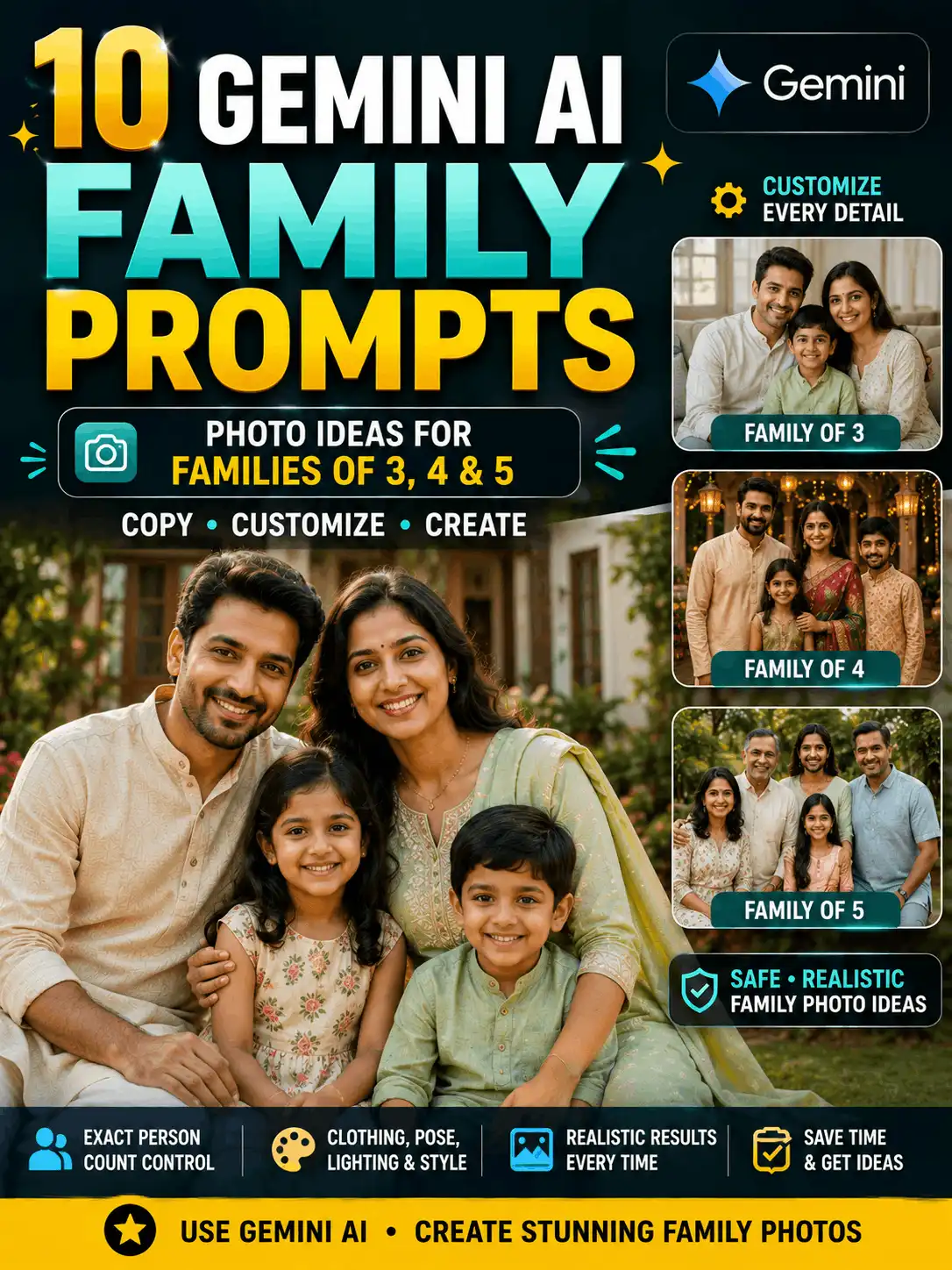
Looking for a useful family prompt for Gemini AI? This guide provides customizable prompt examples for family pictures of three, four and five people, along with Indian family portraits, home scenes, outdoor photos and celebration concepts. Change each person’s relationship, age group, clothing, position, expression, location, lighting and image ratio before generating an image. Clear person-count and placement instructions can help Gemini interpret the composition, but results may still vary by the Gemini experience, model, settings and reference image. Review every output carefully, especially faces, hands, body proportions and duplicated people.
QUICK ANSWER A family prompt for Gemini AI is a written instruction describing how a family should appear in an AI-generated or AI-edited image. A useful prompt states the exact number of people, relationships, age groups, clothing, positions, expressions, background, lighting, camera style and image ratio. Customize the details and manually review every result for accuracy.
FAMILY-PHOTO SAFETY RULE Use real family photos only when you own them or have permission to upload and edit them. Children must appear only in age-appropriate, family-safe contexts. Do not create false families, events, memories or endorsements involving real people.
Best Family Prompt for Gemini AI
A strong family prompt for Gemini AI begins with the exact number of people and explains each relationship and position before adding clothing, setting or photography details. The examples below are starting points. Replace every bracketed or descriptive field with details that match the family composition you want.
A Gemini family photo prompt should not rely on a vague phrase such as “a happy family.” It should say whether the image contains three, four or five people, who stands on the left, centre or right, and whether the group is seated, standing or walking. Broader cross-tool family ideas belong in the Family Photo Prompts pillar.
How to Control Person Count and Family Positions
State the exact total first: write “show exactly four people” near the beginning.
List every person once using numbers or clear relationship labels.
Assign one position: left, centre, right, front row or back row.
Keep the pose simple so hands, faces and body positions remain clear.
Repeat one short control at the end: “exactly four people; no duplicate people.”
This method is useful for a gemini prompt for family picture of 3, a gemini prompt for family picture of 4 or a gemini prompt for family picture of 5.
Exact family size + each relationship and age group + assigned positions + clothing + one simple pose + background + lighting + camera style + aspect ratio + person-count and quality controls
Family Photo Prompt for Gemini AI Examples
Each prompt card includes an intended use, customization fields, preservation notes and a recommended ratio. These are illustrative templates, not verified performance claims. Add an original result, exact Gemini product or model when known, test date and honest observation before labelling a prompt tested.
Gemini Prompt for a Family Picture of 3: Parents and Child
ORIGINAL IMAGE INSERTION POINTgemini-family-picture-of-3.webp Alt text: AI-generated family of three portrait created from a Gemini prompt Caption: Illustrative family-of-three concept. Replace with an original result created from the displayed prompt.
Create a highly realistic family portrait showing exactly three people: two adults and one child. Place Adult 1 on the left, the child in the centre and Adult 2 on the right. Dress the adults in coordinated cream and muted-blue casual clothing, and dress the child in an age-appropriate pale-yellow outfit. Show the three family members standing close together in a bright garden during soft morning light, with natural smiles and relaxed hands. Keep clear separation between every face and limb, realistic height differences, accurate hands, natural skin texture and balanced body proportions. Use professional family photography, gentle background blur and a 4:5 vertical composition. Show exactly three people; no duplicate person, merged limbs, random text, logos or watermarks.
Best for
Parents-and-child portraits, framed family concepts and vertical social posts.
Customize
Adults’ clothing, child age group, left-centre-right positions, setting, expressions and lighting.
Suggested ratio
4:5
Preserve
Exactly three people, clear adult-and-child age differences, realistic faces, hands and body scale.
Review
Check that no fourth person appears, the child is age-appropriate, limbs are separate and everyone is fully visible.
Testing status
Illustrative template – original Gemini test and image required before publication.
ORIGINAL IMAGE INSERTION POINTthree-generation-family-gemini-prompt.webp Alt text: AI-generated three-generation family portrait with three people Caption: Illustrative three-generation family concept. Add a real reviewed result before publishing.
Create a realistic three-generation family portrait with exactly three people: one grandparent, one adult parent and one school-age child. Seat the grandparent in the centre on a simple wooden chair, place the adult parent standing slightly behind on the left, and place the child standing on the right with one hand resting naturally near the chair. Use modest coordinated Indian clothing in soft maroon, cream and olive tones. Set the scene in a clean, warmly lit home interior with subtle decor and no private information. Show clear age differences without exaggeration, natural smiles, accurate hands, realistic skin texture and balanced proportions. Use professional editorial family photography and a 4:5 ratio. Exactly three people; no duplicate faces, merged limbs, random text or logos.
Best for
Grandparent-parent-child or grandparent-parent-adult-child portraits.
Customize
Age groups, seating order, clothing, home or studio setting, expressions and cultural details.
Suggested ratio
4:5
Preserve
Exactly three people, respectful age appearance, natural relationships and realistic body proportions.
Review
Inspect age consistency, faces, hands, seating overlap, eyewear and clothing details.
Gemini Prompt for a Family Picture of 4: Parents and Two Children
ORIGINAL IMAGE INSERTION POINTgemini-family-picture-of-4.webp Alt text: AI-generated family of four portrait created from a Gemini prompt Caption: Illustrative family-of-four result. Faces, hands and person count must be manually reviewed.
Create a realistic family portrait showing exactly four people: two adults and two children. Arrange Adult 1 on the far left, Child 1 left-centre, Child 2 right-centre and Adult 2 on the far right. Dress the family in coordinated but non-identical clothing using navy, cream and soft-green tones. Place them in a clean studio with a warm neutral background and soft, even light. Show natural family-safe interaction, relaxed shoulders, clear faces and simple hand positions without crossing limbs. Keep realistic age and height differences, accurate anatomy, detailed clothing and natural skin texture. Use a 4:5 vertical portrait. Exactly four people; no extra child, duplicate face, merged hand, unreadable text, logo or watermark.
Best for
Classic family-of-four portraits, social posts and printed-photo concepts.
Customize
Children’s age groups, clothing colours, height order, standing or seated pose, background and crop.
Suggested ratio
4:5 or 4:3
Preserve
Exactly four people, two adults and two children, clear identities, age-appropriate scale and separate limbs.
Review
Count all four people, compare child heights, check hands, feet, body overlap and duplicate faces.
Testing status
Illustrative template – original Gemini test and image required.
ORIGINAL IMAGE INSERTION POINTgemini-four-adult-family-photo.webp Alt text: AI-generated portrait of four adult family members Caption: Illustrative four-adult family composition. Do not imply real relationships when using imagined subjects.
Create a premium editorial portrait of exactly four adult family members in a heritage courtyard. Arrange two adults seated in the front row and two adults standing behind them, leaving clear space between every face. Use elegant coordinated Indian clothing in deep teal, rust, cream and muted gold, with restrained jewellery and no visible brand marks. Show calm, approachable expressions and natural family-safe body language. Add soft golden-hour light, realistic fabric folds, accurate hands, detailed architecture and gentle background blur. Keep every adult visually distinct, with natural height differences and balanced proportions. Use a 4:5 vertical ratio. Exactly four adults; no extra people, romantic posing, merged limbs, random text, logos or watermarks.
Best for
Adult siblings, parents with adult children and formal family-group concepts.
Customize
Relationships, outfits, seating order, expressions, heritage courtyard or studio and camera framing.
Suggested ratio
4:5
Preserve
Exactly four adults, clear individual faces, realistic relative heights and non-romantic family interaction.
Review
Check identity separation, hands, shoulders, jewellery, seating order and false relationship implications.
ORIGINAL IMAGE INSERTION POINTgemini-family-picture-of-5.webp Alt text: AI-generated family of five group portrait created from a Gemini prompt Caption: Illustrative five-person group composition. Replace with a tested wide-framing result.
Create a realistic wide family portrait showing exactly five people. Front row: Person 1 seated on the left and Person 2 seated on the right. Back row: Person 3 standing left, Person 4 standing centre and Person 5 standing right. Use clear age-appropriate family roles selected by the user and dress everyone in coordinated earth-tone clothing without identical outfits. Place the group in a bright garden with a simple pathway and soft late-afternoon light. Keep all five faces visible, maintain natural height differences, leave space between bodies and use simple hand positions. Use professional family photography with realistic skin, clothing and shadows in a 4:3 landscape ratio. Exactly five people; no sixth person, duplicated child, merged limbs, cut-off head, random text or watermark.
Best for
Larger family groups, wide printed photos and blog-cover compositions.
Customize
Five numbered people, front/back rows, age groups, outfits, setting, full-length or waist-up crop.
Suggested ratio
4:3 or 16:9
Preserve
Exactly five people, two-row spacing, clear faces, believable scale, accurate hands and adequate negative space.
Review
Count five people, inspect rows, legs, hands, face duplication, edge cropping and background distractions.
Testing status
Illustrative template – original Gemini test and wide-group image required.
ORIGINAL IMAGE INSERTION POINTgemini-indian-family-photo-prompt.webp Alt text: AI-generated Indian family portrait with traditional clothing Caption: Illustrative Indian family portrait. Regional clothing and cultural details should be customized accurately.
Create an ultra-realistic traditional Indian family portrait with exactly four people: two adults and two children. Dress the adults in a coordinated silk saree and kurta-pajama set, and dress the children in age-appropriate traditional outfits using maroon, cream and muted-gold colours. Arrange the family in a heritage courtyard with the two children standing safely between the adults. Show warm, natural expressions, respectful posture, accurate jewellery, realistic fabric folds and clear hands. Use one coherent regional visual style selected by the user rather than mixing unrelated traditions. Add soft morning light, carved architecture and subtle flower decoration. Use a 4:5 ratio. Exactly four people; no duplicate child, unrelated sacred symbol, random text, logo or watermark.
Best for
Respectful traditional Indian family portraits and cultural editorial concepts.
Customize
Family size, region, outfit names, fabric, jewellery, flowers, courtyard or studio and colour palette.
Suggested ratio
4:5
Preserve
Cultural coherence, age-appropriate styling, clear person count, realistic clothing and respectful expressions.
Review
Check regional details, fabric drape, jewellery, forehead marks, hands and unintended religious combinations.
Testing status
Illustrative template – cultural review and original test required.
ORIGINAL IMAGE INSERTION POINTgemini-modern-family-photo-prompt.webp Alt text: AI-generated modern family lifestyle portrait inside a bright home Caption: Illustrative modern family scene. Avoid exposing real home details when using a reference photo.
Create a realistic lifestyle image of exactly four family members spending time together in a bright modern living room. Show two adults seated on a sofa, one child sitting safely beside them with an open picture book, and one older child standing nearby while smiling toward the group. Use modest coordinated casual clothing, warm daylight from a side window and a tidy but natural home setting. Keep every person clearly separated, with realistic age differences, accurate hands, natural expressions and believable furniture scale. Do not show private documents, readable screens, house numbers or personal data. Use a 4:5 vertical composition. Exactly four people; no duplicate person, merged limb, random text, logo or watermark.
Best for
Candid home scenes, family blogs and everyday lifestyle visuals.
Customize
Family size, room type, safe activity, casual clothing, time of day, candid pose and camera look.
Suggested ratio
4:5 or 3:2
Preserve
Correct person count, family-safe activity, privacy, realistic interactions and clear faces.
Review
Check background text, personal documents, screens, food items, fingers, seating and duplicated objects.
ORIGINAL IMAGE INSERTION POINTgemini-outdoor-family-photo-prompt.webp Alt text: AI-generated family walking together in a safe outdoor park Caption: Illustrative outdoor family image. Use safe locations and age-appropriate poses.
Create a realistic full-length portrait of exactly four family members walking together on a wide, safe park pathway during soft golden-hour light. Show two adults on the outer sides and two children between them, all walking in the same direction with relaxed, family-safe expressions. Dress them in coordinated casual clothing using cream, denim-blue and soft-green tones. Keep faces clear, hands natural, feet in contact with the path and realistic height differences. Add gentle greenery, distant flowers and shallow background depth without placing trees or objects across faces. Use professional outdoor family photography in a 16:9 landscape composition. Exactly four people; no extra strangers, merged legs, unsafe road, random sign text, logos or watermarks.
Best for
Garden, park and beach-family concepts with natural light.
Customize
Family count, park/garden/beach, clothing, walking or standing pose, weather, time and crop.
Suggested ratio
4:5 or 16:9
Preserve
Safe environment, clear group spacing, realistic feet, natural daylight and age-appropriate action.
Review
Inspect feet, path contact, child safety, shadows, horizon, trees crossing bodies and extra people.
Testing status
Illustrative template – original test and safety review required.
Related guide: Trending Family Photo Prompt
Festival or Celebration Family Prompt
ORIGINAL IMAGE INSERTION POINTgemini-family-celebration-prompt.webp Alt text: AI-generated family celebration portrait with respectful decorations Caption: Illustrative family celebration concept. Customize it to one actual occasion and review cultural details.
Create a warm, family-safe celebration portrait with exactly five family members inside a decorated home. Use one user-selected occasion and include only decorations appropriate to that occasion. Arrange two adults and three children in a clear semicircle, with every face visible and no overlapping limbs. Dress everyone in coordinated, age-appropriate festive clothing using red, cream and gold accents. Add soft warm lamps at a safe distance, simple flower decorations and realistic indoor lighting. Keep expressions natural, hands accurate and cultural symbols respectful and consistent. Use a 4:5 vertical ratio. Exactly five people; no duplicate child, unsafe flame, incompatible symbols, unreadable banner text, logos or watermarks.
Best for
Family-safe festival, birthday and home-celebration concepts.
Customize
Occasion, family size, clothing, decorations, props, location, lighting and cultural details.
Suggested ratio
4:5
Preserve
One coherent occasion, accurate person count, child-safe props and respectful clothing and symbols.
Review
Check lamps, flames, decorations, hands, text, religious elements and false event claims.
Testing status
Illustrative template – use one specific occasion and add real test details.
ORIGINAL IMAGE INSERTION POINTgemini-family-photo-edit-example.webp Alt text: Consent-based before and after family photo edit Caption: Before-and-after family edit slot using a permitted image. Results may vary and perfect identity preservation is not guaranteed.
Edit the uploaded family photo using only the permitted change described here: [state one change]. Keep exactly [number] people. Person 1 is [position/clothing]; preserve facial features, skin tone, age appearance, hairstyle, expression and body proportions. Person 2 is [position/clothing]; preserve the same identity details. Continue once for every person in the image. Preserve all relationships, relative heights, poses, hand positions, clothing unless clothing is the requested change, camera angle, crop and [existing background / specified new background]. Match the original light direction, shadows and depth of field. Do not add or remove people, swap identities, change ages, merge limbs, create false events, reveal private information, add random text, logos or watermarks. Match the source ratio unless [new ratio] is required.
Best for
Permitted family-photo edits that change one controlled element such as background, colour treatment or framing.
Customize
Exact person count, person-by-person identity locks, permitted change, background decision, lighting, crop and ratio.
Suggested ratio
Match source ratio or use 4:5
Preserve
Every consenting person’s face, age appearance, hairstyle, skin tone, body proportions, pose and relationship context.
Review
Compare each person separately, then check hands, person count, age, body scale, scene, text and misleading context.
Testing status
Editing template – test only with owned or permitted family photos.
Start by changing the family size and relationships. Then adjust only the details that contribute to the visual result:
People and relationships: exact total, adult/child age groups, grandparent, parent, child or adult relative.
Positions: left, centre, right, seated front row or standing back row.
Clothing: coordinated colours rather than identical outfits; age-appropriate styling for children.
Pose and eye direction: one simple arrangement with clear hands and faces.
Setting: studio, home, garden, park, heritage courtyard or one specific celebration.
Lighting and camera: one light direction, realistic depth, portrait or landscape framing.
Error controls: exact person count, no duplicates, no merged limbs, no random text and no logos.
The phrase family photo gemini prompt may be used by readers looking for a short template, but the best result still depends on specific positions and manual review. Explore other tool-specific ideas in Gemini AI Prompts.
How to Use a Reference Family Photo Safely
Use only a source photo you own or have permission to upload and edit. Avoid publishing private addresses, school names, house numbers, documents or identifying information. Describe every person separately and state which identities, ages, hairstyles, clothing, pose and background details must remain unchanged.
Do not promise perfect identity preservation. Compare each face with the source, count every person and review hands, limbs, body scale and age appearance. Do not use an edit to invent a relationship, reunion, celebration, travel event or family memory involving real people. Label AI-assisted edits through the AI content and image disclosure.
Recommended Image Ratios
Ratio
Best use
Framing guidance
1:1
Square posts and profile-style crops
Best for compact groups; keep faces inside the centre safe area.
4:5
Vertical family portraits and social feeds
Strong default for families of three or four and waist-up groups.
9:16
Stories and Reels
Use a simple vertical arrangement and leave space for interface overlays.
4:3
Wider family groups and five-person portraits
Allows rows and side-by-side spacing without excessive empty height.
16:9
Blog covers, banners and wide outdoor scenes
Useful for five-person groups, walking scenes and before-and-after comparisons.
No ratio guarantees a correct composition or stronger reach. Wider groups usually need a wider frame and simpler pose instructions.
Family Prompt Comparison Table
Prompt type
Best use
Main control
Ratio
Review priority
Family of 3: parents and child
Small vertical portrait
Left-centre-right placement
4:5
Exactly three people
Family of 3: generations
Home or studio portrait
Age groups and seating order
4:5
Age and relationship clarity
Family of 4: parents and children
Classic family portrait
Height order and simple pose
4:5 / 4:3
No duplicates or merged limbs
Family of 4: adults
Formal family group
Relationships, rows and clothing
4:5
Distinct adult identities
Family of 5
Large group or blog cover
Numbered people and two rows
4:3 / 16:9
Spacing and wide framing
Traditional Indian family
Cultural editorial portrait
Regional clothing and setting
4:5
Cultural accuracy
Modern home lifestyle
Everyday family scene
Activity, room and daylight
4:5 / 3:2
Privacy and person count
Outdoor family
Park, garden or beach scene
Walking order and safe location
4:5 / 16:9
Feet, shadows and child safety
Celebration family
Festival or occasion concept
One occasion and decorations
4:5
Respectful symbols and safe props
Reference-photo edit
One controlled photo change
Person-by-person preservation
Source / 4:5
Consent and identity consistency
Common Family Prompt Mistakes
Mistake
Why it causes problems
Better approach
Not stating the exact total
The output may add, remove or duplicate people.
Put “exactly three/four/five people” near the beginning and end.
Listing one person twice
Relationship labels can be interpreted as separate people.
Number each person once and assign one position.
Contradictory positions
Several people are asked to occupy the same area.
Use left, centre, right, front row and back row consistently.
Too many complex poses
Overlapping bodies and hands become harder to render.
Choose simple standing, seated or walking arrangements.
Unclear ages or relationships
Children may appear adult or relatives may look like a couple.
State age groups and family-safe relationship context without unnecessary personal details.
No identity-preservation clause
Reference-photo edits may change faces, ages and hairstyles.
Lock every person separately and reduce simultaneous edits.
Overcrowding a vertical frame
Heads, hands or feet are cropped and bodies merge.
Use 4:3 or 16:9 for wider groups and leave negative space.
Mixing cultural details
Clothing and symbols become inaccurate or disrespectful.
Choose one coherent region or occasion and review the output.
Ignoring hands and background text
Multi-person images multiply anatomy and text errors.
Inspect each face, hand, limb, sign, screen and decoration at full size.
Calling an output guaranteed
Person count and quality can vary between runs and updates.
Use honest test notes and state that results may vary.
Document real tests through the Prompt Testing Methodology rather than publishing invented success rates.
Frequently Asked Questions
Can Gemini create a family photo from text?
A Gemini experience that supports image creation may be able to use a detailed family prompt, but product capabilities and access can change. The prompt should still state the exact person count, relationships, positions, clothing, setting, lighting and ratio. Verify current feature availability before publishing tool-specific instructions.
How do I keep exactly three, four or five people?
State the exact total near the start, list each person once, assign each person a position and repeat a short control such as “show exactly four people; no duplicate people.” Keep poses simple so the composition remains understandable.
Can I use my own family photo?
Use a reference family photo only when you own it or have permission to upload and edit it. Obtain appropriate consent, avoid exposing private information and do not use the edit to create a false relationship, event, memory or endorsement.
Why are family members duplicated or missing?
The prompt may use vague relationship labels, repeat a person, include conflicting positions or ask for a crowded pose. Rewrite the request as a numbered list, simplify the arrangement and use a wider ratio for larger groups.
How do I preserve every face in a family photo edit?
Identify each person separately by position or clothing and preserve facial structure, skin tone, age appearance, hairstyle and expression for each one. Perfect identity preservation cannot be guaranteed, so compare every person with the source before publishing.
Which ratio is best for a family group?
Use 4:5 for most families of three or four, 4:3 or 16:9 for wider five-person groups, 1:1 for compact square posts and 9:16 only when the group can be arranged vertically with safe margins.
Can I create an Indian family portrait?
Yes, the prompt can specify an Indian family, family size, regional clothing, setting, jewellery and colours. Keep cultural details coherent, avoid stereotypes and review garments, symbols, hands and family relationships carefully.
Can I publish or use an AI family image commercially?
Commercial use depends on current tool terms, source-image permission, privacy, trademarks, local law and third-party rights. Verify official terms before making a commercial-use claim and avoid real families, public figures or brand marks without permission.
How should AI-generated family images be labelled?
Use a visible caption or disclosure explaining that the example is AI-generated or AI-edited and that results may vary. Do not present an imagined family or fictional event as a documentary photograph.
A reliable family prompt for Gemini AI starts with the exact family size, lists each person once and gives every person a clear position. Use 4:5 for many three- and four-person portraits and a wider 4:3 or 16:9 frame for larger groups. Customize clothing, setting and lighting only after the composition is clear, then manually review every face, hand, limb and background detail.
Swetha is an AI Prompt Creator and Digital Content Specialist. She is an MCA graduate with five years of experience in blogging, YouTube and social media, plus two years of experience in AI prompt creation. She uses Gemini and ChatGPT regularly to create practical AI image prompts, photo-editing ideas and beginner-friendly guides for AskExclusive.
Written and manually reviewed by Swetha.
AI Image and Testing Disclosure
DISCLOSURE The prompt templates in this article are publication-ready, but no original result images or Gemini test records were supplied with the planning brief. Do not present an illustrative prompt as tested. Each published result should be generated from the exact prompt displayed beside it and should state the real Gemini product or model when known, test date, ratio, input type and meaningful limitations. Results may vary.
SWETHA.A
AI Prompt Creator & Digital Content Specialist
Swetha is an MCA graduate with over five years of experience in blogging, YouTube, and social media content creation, along with two years of specialized experience in AI prompt engineering. She works daily with leading AI tools such as Gemini and ChatGPT to develop practical AI image prompts, creative photo-editing ideas, and easy-to-follow tutorials for AskExclusive.
At AskExclusive, Swetha researches, creates, and reviews AI image prompts, photo-editing workflows, and beginner-friendly creative guides. Her content helps users customize prompts, explore AI image generation tools, and create original, high-quality visuals responsibly and effectively.