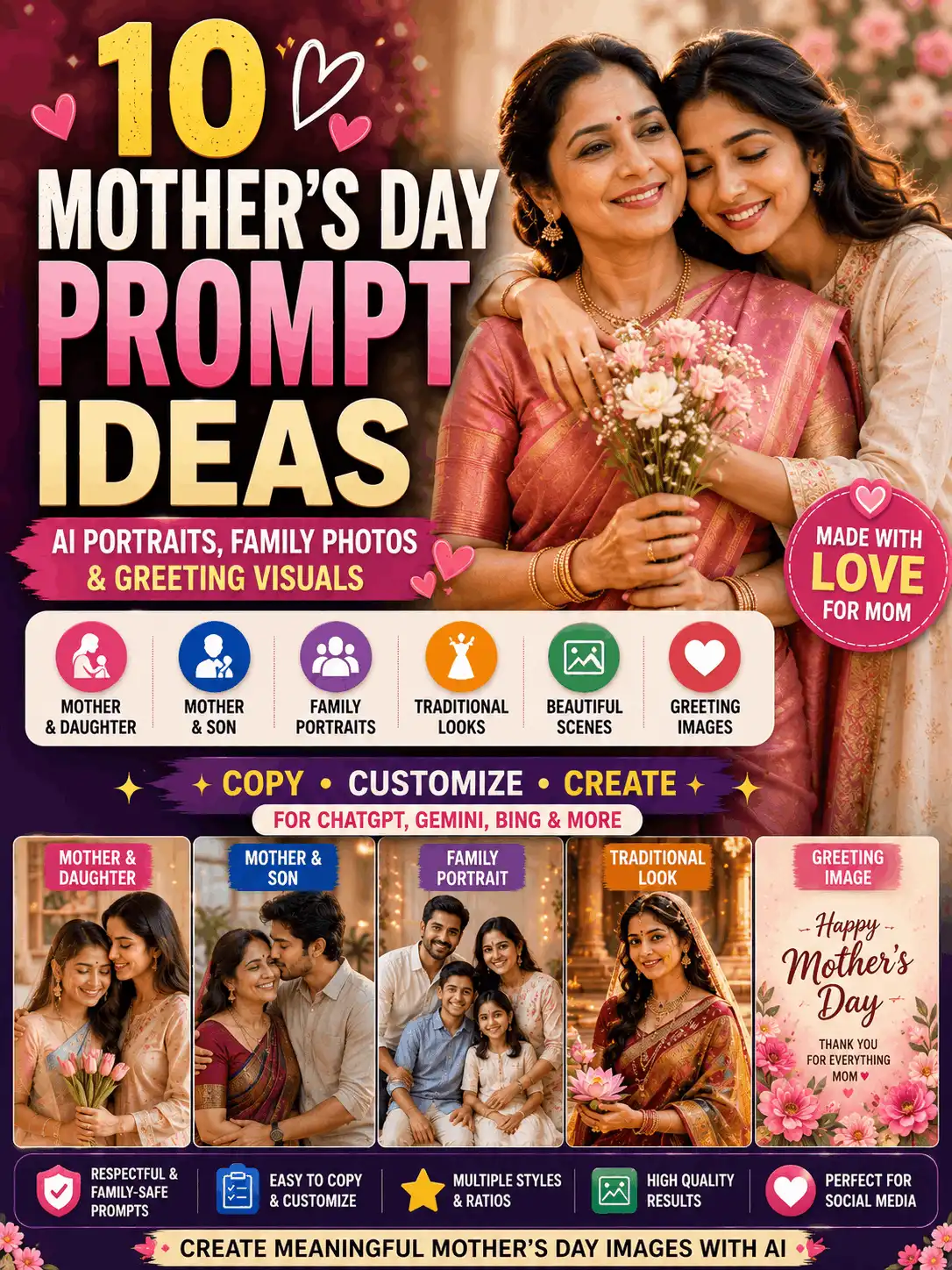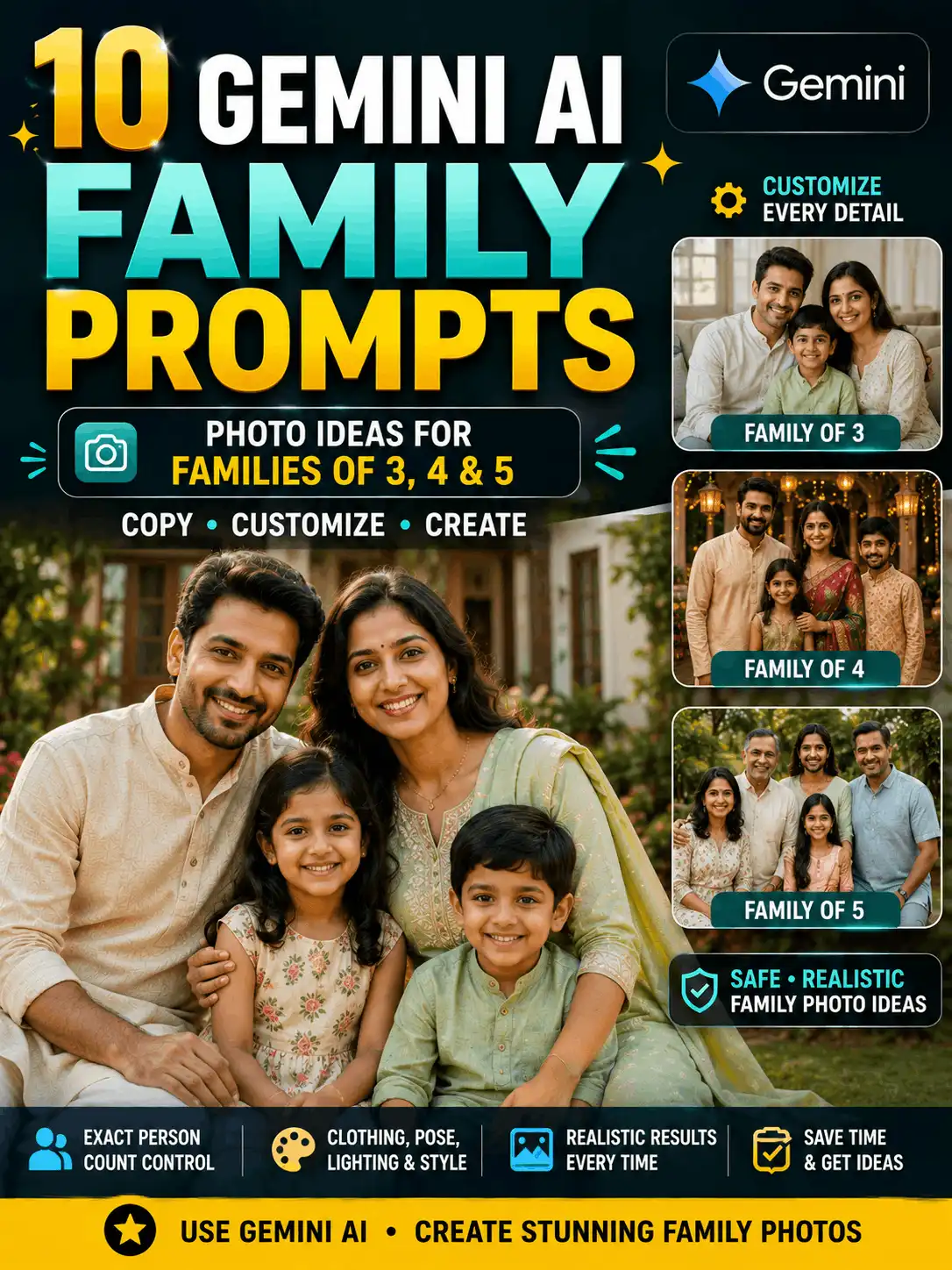

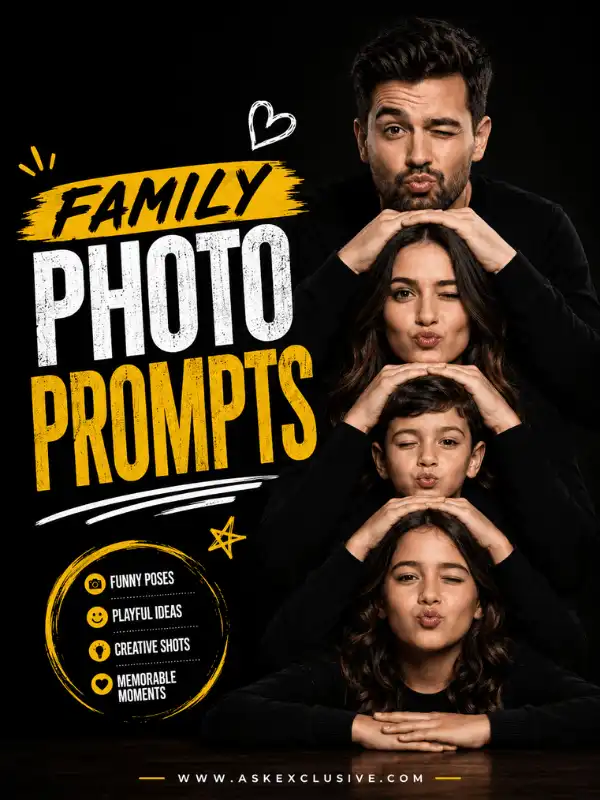
Family Photo Prompts for Parents, Children and Group Pictures
Looking for family photo prompts for parents, children, siblings or a complete family portrait? This guide brings together customizable AI prompt ideas for traditional, casual, studio, outdoor, black-and-white and social-media family images. Choose a prompt that matches your family size, then change each person’s age range, clothing, position, expression and relationship. For reliable multi-person compositions, clearly state the exact number of people and explain how they should be arranged from left to right, front to back, or seated and standing. Use only photographs you own or have permission to upload. AI-generated results can vary by platform, model, settings and reference-image quality, so review every face, hand, body and background detail before sharing the final image.
| Quick answer: What are family photo prompts? Family photo prompts are written instructions that describe how family members should appear in an AI-generated or AI-edited image. A useful family prompt states the exact number of people, their relationships, adult or child age ranges, clothing, positions, expressions, background, lighting, photography style and aspect ratio. |
Choose the Right Family Photo Prompt
A broad family photo prompt should help readers choose the family type before they start adding visual details. Use this table to select the correct section or supporting guide. The most suitable option depends on family size, relationship, platform and intended image format; no single prompt is universally best.
| Family-image goal | Best section or guide | Important details | Ratio |
| Complete family portrait | Main pillar | Exact family size and placement | 4:3 |
| Gemini family image | Family Prompt for Gemini AI | Platform and reference details | 4:3 or 4:5 |
| ChatGPT family image | ChatGPT Family Photo Prompt | Creation or editing workflow | 4:3 or 4:5 |
| Mother and son | Mother and Son guide | Ages, clothing and interaction | 3:4 |
| Mother and daughter | Mother Daughter Prompt | Ages, outfits and pose | 3:4 |
| Father and son | Father and Son guide | Ages, pose and setting | 3:4 |
| Father and daughter | Father and Daughter guide | Clothing, pose and location | 3:4 |
| Sibling portrait | Brother and Sister Prompt | Ages and subject placement | 4:5 |
| Pregnancy portrait | Pregnancy Prompts | Comfort, clothing and safe pose | 3:4 |
| Trending family image | Trending Family Photo Prompt | Current style and review date | 4:5 |
| Black-and-white family image | Main pillar | Contrast, light and composition | 4:3 |
| Childhood/current composite | Dedicated composite guide | Identity, age and image placement | 4:5 |
Family-Prompt Formula
Multi-person images require more structure than a single portrait. Use this formula to build a clear AI family photo prompt:
| Reusable formula Exact number of family members + relationships + age ranges + appearance and clothing for each person + positions + interaction or pose + expressions + background + lighting + photography style + aspect ratio + quality instructions |
Simple example: Create a realistic family portrait of two adult parents and two children. Position the parents in the centre, with the older child beside the father and the younger child beside the mother. Dress everyone in coordinated traditional Indian clothing, show relaxed natural smiles and place them in a bright garden during soft morning light. Use realistic skin texture, accurate hands, natural body proportions, professional family photography and a 4:3 ratio.
Avoid vague wording such as “Create a photo of a happy family.” It does not explain how many people should appear, who they are, where they should stand or which visual style should be used.
Best Family Photo Prompts to Copy and Customize
The best prompt for family photo creation is one that matches your exact family arrangement. These broad examples answer the main intent of the pillar without replacing complete platform-specific or relationship-specific collections.
Complete Family Portrait Prompt
Family type: Two parents, two teenagers and one young child | Exact subject count: 5 | Recommended ratio: 4:3
| Create a realistic portrait of an Indian family of five: two adult parents, two teenage children and one young child. Position the parents in the centre, the teenagers on the outer sides and the youngest child slightly in front. Dress everyone in coordinated cream and maroon traditional clothing. Show gentle natural smiles, warm morning light, accurate hands, natural body proportions and professional family photography. Use a wide 4:3 ratio. Avoid missing people, duplicate subjects, merged faces, random text, logos and watermarks. |
Best for: Complete family photographs, framed portraits, celebrations and profile images
Customize: Clothing colours, family ages, setting and left-to-right placement
AI results may vary by tool, model, settings and reference-image quality.
Small Family Photo Prompt
Family type: Two parents and one young child | Exact subject count: 3 | Recommended ratio: 4:5
| Create a warm realistic portrait of two adult parents and one young child sitting together on a garden bench. Position the child safely between the parents. Dress the family in coordinated pastel clothing and show relaxed, natural expressions. Add soft golden-hour light, realistic skin texture, accurate hands, age-appropriate child features and professional lifestyle family photography. Use a 4:5 ratio. Include exactly three people and no extra subjects. |
Best for: Family of three portraits, social posts and lifestyle images
Customize: Child age, clothing palette, seated pose and garden details
AI results may vary by tool, model, settings and reference-image quality.
Large Extended-Family Prompt
Family type: Two grandparents, four adults and two children | Exact subject count: 8 | Recommended ratio: 4:3
| Create a realistic extended-family portrait with exactly eight people. Seat two grandparents in the centre, place four adult family members in a balanced row behind them and position two children safely in front. Assign coordinated traditional clothing to each person, keep every face clearly visible and use natural smiles. Add soft studio lighting, realistic skin texture, accurate body proportions and a wide professional group-photography composition. Use a 4:3 ratio. Avoid merged bodies, repeated faces, hidden hands and extra people. |
Best for: Multi-generation portraits, reunions and festival family groups
Customize: Rows, seating, adult and child labels, clothing assignment and background
AI results may vary by tool, model, settings and reference-image quality.
Black and White Family Photo Prompt
Family type: Two parents and two children | Exact subject count: 4 | Recommended ratio: 4:3
| Create a timeless black-and-white portrait of exactly four people: two adult parents and two children. Position the parents in the centre with one child on each side. Use natural expressions, simple coordinated clothing, gentle side lighting, balanced contrast, controlled shadows, realistic skin detail and classic fine-art family photography. Preserve detail in both highlights and shadows. Use a 4:3 ratio. Avoid crushed blacks, blown highlights, plastic skin, duplicate people and random text. |
Best for: Timeless wall portraits, editorial family images and monochrome posts
Customize: Contrast level, clothing, studio backdrop and lighting direction
AI results may vary by tool, model, settings and reference-image quality.
Cute Family Photo Prompt
Family type: Two parents and two children | Exact subject count: 4 | Recommended ratio: 4:5
| Create a cute and realistic family portrait of two adult parents and two children enjoying a picnic in a green garden. Place the children safely between the parents and show relaxed conversation, gentle smiles and natural family interaction. Use coordinated casual clothing, soft morning light, realistic skin texture, age-appropriate child styling and professional lifestyle photography. Use a 4:5 ratio. Avoid exaggerated expressions, oversized props, unsafe poses and cartoon-like features. |
Best for: Warm everyday scenes, family-safe social posts and casual memories
Customize: Picnic details, casual clothing, child ages and natural interactions
AI results may vary by tool, model, settings and reference-image quality.
Traditional Indian Family Prompt
Family type: Two parents and two children | Exact subject count: 4 | Recommended ratio: 4:3
| Create a realistic traditional portrait of an Indian family of four standing in a heritage courtyard. Dress the adult father in an ivory kurta, the adult mother in a maroon silk saree and the two children in coordinated age-appropriate traditional clothing. Position both parents in the centre with one child on each side. Show natural smiles, warm lamp light, detailed fabric, accurate jewellery and professional cultural photography. Use a 4:3 ratio. Keep the regional styling coherent and avoid mixing unrelated ceremonial elements. |
Best for: Festival portraits, cultural celebrations and traditional family images
Customize: Regional clothing, jewellery, courtyard details and lighting
AI results may vary by tool, model, settings and reference-image quality.
Professional Studio Family Prompt
Family type: Two parents and two children | Exact subject count: 4 | Recommended ratio: 4:3
| Create a professional studio portrait of an Indian family of four. Seat the two children safely in front and position the two adult parents standing behind them. Use coordinated formal clothing, a neutral beige textured background, soft even lighting, realistic skin texture and clear visibility of every face. Keep the composition clean and symmetrical. Use a 4:3 ratio. Avoid decorative clutter, harsh shadows, overlapping hands, merged bodies and missing family members. |
Best for: Formal portraits, professional profiles and printed family photographs
Customize: Background tone, formal clothing, seated arrangement and light softness
AI results may vary by tool, model, settings and reference-image quality.
Casual Lifestyle Family Prompt
Family type: Two parents and two children | Exact subject count: 4 | Recommended ratio: 4:5
| Create a realistic lifestyle image of two adult parents and their two children walking together through a peaceful park. Place one parent on the left, one parent on the right and the children safely between them. Use simple coordinated casual clothing, natural conversation, relaxed expressions, soft evening light and documentary-style family photography. Use a 4:5 ratio. Maintain accurate hands, realistic walking posture and exactly four people. |
Best for: Everyday family stories, outdoor social images and natural candid-style scenes
Customize: Park location, clothing colours, walking direction and time of day
AI results may vary by tool, model, settings and reference-image quality.
How to Write a Family Photo Prompt
1. State the exact number of people. Write “two parents and one child,” “two parents and two children,” “one mother and one adult son,” or another precise count.
2. Identify the relationships. Use labels such as adult father, adult mother, adult son, teenage daughter, young child, grandmother or grandfather instead of relying only on man, woman, boy or girl.
3. Describe each person separately. Give each person an age range, clothing, hairstyle, position, expression and relevant accessories.
4. Define the shared pose. Explain whether the family is standing side by side, sitting naturally, walking together, looking at the camera or sharing a relaxed moment.
5. Add placement instructions. Use left, right, centre, front row, back row, seated and standing. This is especially important for groups of five or more.
6. Choose the environment. Suitable options include a garden, living room, heritage courtyard, studio, festival venue, beach or family home.
7. Add lighting and style. Specify morning light, golden hour, studio light, window light, realistic photography, documentary style or editorial portraiture.
8. Select the ratio and review every person. Check subject count, faces, ages, hands, clothing, body proportions and background before publishing.
Gemini, ChatGPT and Trending Family Prompts
This pillar introduces each category but leaves complete platform collections and time-sensitive trend coverage to their dedicated supporting articles.
Family Prompt for Gemini AI
A Gemini-focused family prompt should still begin with the exact family size and relationship labels. Keep the pillar example broad, then use the dedicated guide for platform-specific workflow, larger family variations and additional copy-paste prompts. Results may differ between Gemini versions and available image features.
| Create a realistic family photograph of two adult parents and two children standing in a bright garden. Place the parents in the centre and one child on each side. Assign coordinated blue and cream clothing to each person, use natural smiles, soft morning light, accurate hands and a 4:3 composition. Include exactly four people and no random text. |
Read: Family Prompt for Gemini AI
ChatGPT Family Photo Prompt
A ChatGPT family photo prompt can describe a completely new image or an edit to an uploaded family photograph where image editing is supported. For generation, describe the whole family arrangement. For editing, state what should change and what must remain unchanged. Check current feature availability in the version you use.
| Create a clean editorial family portrait of two adult parents and one teenage child standing on a softly lit balcony. Place the teenager in the centre with one parent on each side. Use coordinated modern clothing, relaxed expressions, natural skin texture, accurate hands, gentle city bokeh and a 4:5 ratio. Include exactly three people. |
Read: ChatGPT Family Photo Prompt
Trending Family Photo Prompts
Trending family concepts often use social-media-friendly framing, coordinated modern clothing, clean colour palettes and vertical ratios. Trends change, so keep the evergreen pillar limited to one reviewed example and use the dedicated trending article for current styles. No prompt can guarantee virality or identical results.
| Create a stylish portrait of two adult parents and two teenage children standing on a modern rooftop during blue hour. Use a balanced line arrangement, coordinated neutral fashion, soft city lights, clean composition, realistic skin texture and professional social-media photography. Use a 4:5 ratio and include exactly four people. |
Read: Trending Family Photo Prompt
Parent-Child and Relationship Family Prompts
Relationship-specific prompts need clear age labels and family-safe composition. The short examples below introduce each category; use the linked pages for complete collections.
Mother and Son Family Prompts
Clearly identify whether the son is a child, teenager or adult. Keep body language affectionate, respectful and family-safe; avoid romantic composition.
| Create a warm realistic portrait of an Indian mother and her adult son standing together in a flower garden. Dress them in coordinated traditional clothing and show natural smiles with respectful family-safe body language. Add golden-hour light, detailed fabric, realistic skin texture and professional family photography. Use a 3:4 ratio. |
Read the complete guide: Gemini AI Mother and Son Prompt Copy Paste
Mother and Daughter Prompts
Describe both ages, assign each outfit clearly and choose a shared pose that does not merge their bodies or hands.
| Create a realistic portrait of an Indian mother and her adult daughter standing together in a heritage courtyard. Dress them in coordinated silk sarees, use natural smiles, elegant posture, warm morning light and professional family photography. Use a 3:4 ratio. |
Read the complete guide: Mother Daughter Prompt
Father and Son Prompts
State whether the son is young or adult, then specify position, clothing and expression for both subjects.
| Create a realistic outdoor portrait of an adult father and his adult son standing side by side in a modern garden. Use coordinated formal clothing, relaxed expressions, natural posture, soft evening light and professional relationship photography. Use a 3:4 ratio. |
Read the complete guide: Father and Son Prompt for Gemini
Father and Daughter Prompts
Use respectful family-safe interaction and age-appropriate styling. Assign the father and daughter separate positions and clothing.
| Create a warm portrait of an adult father and his adult daughter standing together on a softly decorated balcony. Use coordinated traditional clothing, respectful family-safe interaction, warm evening light, realistic skin texture and professional portrait photography. Use a 3:4 ratio. |
Read the complete guide: Father and Daughter Prompt for Gemini
Sibling and Friend Prompts
For siblings, identify each age range, clothing and position. A simple example is: “Create a realistic portrait of one adult brother and one adult sister standing side by side in a garden, wearing coordinated traditional clothing, with natural smiles, soft morning light and a 4:5 ratio.”
Open the Brother and Sister Prompt for sibling variations. Friendship images belong in the separate Best Friend Prompt guide rather than being treated as a complete family group.
Pregnancy and Family-Life Prompts
Use an adult subject, comfortable natural poses, appropriate clothing and a supportive family setting. Keep the prompt non-medical and avoid diagnosis, health claims or unsafe pose instructions.
Read the dedicated Pregnancy Prompts guide for focused maternity concepts.
Childhood Photo and Current Photo Prompts
For a childhood-and-current composite, identify image one and image two, preserve the age shown in each source, explain the position of both versions and match scale, lighting and perspective. Label the result as an AI-created composite rather than a real historical photograph.
See Childhood Photo and Current Photo Prompt.
Family Image Generation vs Family Photo Editing
| Image generation | Photo editing |
| Creates a new family image. | Changes an uploaded family photograph. |
| Can use imagined people. | Uses source images you own or have permission to edit. |
| Describes the complete family scene. | Describes what should change and what must remain. |
| Focuses on subject count, arrangement and style. | Focuses on change, identity preservation, realistic lighting and perspective. |
Generation formula: Family members + relationships + positions + clothing + interaction + setting + lighting + style + ratio.
Editing formula: Uploaded family photo + requested change + identity details to preserve + new visual details + lighting and quality requirements.
Family Photo Editing Example
Family type: Uploaded permitted family photograph | Exact subject count: Keep the original count | Recommended ratio: Original ratio
| Edit the uploaded family photograph by replacing the background with a softly lit garden. Keep every person’s original face, age, skin tone, hairstyle, position and body proportions unchanged. Maintain the exact number of family members and match the new background with realistic lighting, perspective and shadows. Do not add, remove, merge or replace any person. |
Best for: Background replacement and natural visual improvement
Customize: New setting, lighting and requested changes
AI results may vary by tool, model, settings and reference-image quality.
Related editing pillars: Google Gemini AI Photo Editing Prompts and ChatGPT Photo Editing Prompts.
How to Arrange Family Members
Three-person family
Place both adult parents behind or beside the child, with the child safely in the centre. A 4:5 portrait ratio normally provides enough vertical space.
Four-person family
Position both adult parents in the centre with one child on each side, or seat the children in front and stand the parents behind. Use a 4:3 ratio for a balanced group.
Five-person family
Place the parents in the centre, the two older children on the outer sides and the youngest child slightly in front. Repeat the arrangement if the generator changes positions.
Extended family
Seat grandparents in the centre, place adults in a balanced row behind them and position children safely in front. State the exact count, number of rows, seated subjects and standing subjects. Wide 4:3 or 16:9 framing gives the group more space.
How to Customize Family Photo Prompts
Family size and relationships
Change three, four, five or eight people and specify parents, children, grandparents, siblings or a particular parent-child relationship. Do not change the count in one part of the prompt without updating placement instructions.
Clothing
Choose traditional Indian, formal, casual, festival or coordinated modern clothing. Assign the outfit and colour to the correct person. Keep regional clothing, jewellery and setting coherent.
Pose and interaction
Use standing, sitting, walking, looking at the camera, gentle conversation or a celebration pose. Keep children’s placement safe and age-appropriate. Simpler poses usually reduce overlapping hands and merged bodies.
Background and lighting
Change the garden, studio, home, heritage courtyard, beach or festival venue. Then choose morning light, golden hour, studio lighting, window light or warm indoor light. Match the lighting direction across people and background.
Visual style
Select realistic family photography, documentary lifestyle photography, professional studio portraiture, cultural photography, cinematic portraiture or black-and-white fine-art photography. Avoid combining conflicting styles unless intentional.
Recommended Aspect Ratios
| Family-image use | Suggested ratio |
| Complete family group | 4:3 |
| Three-person portrait | 4:5 |
| Parent-child portrait | 3:4 |
| Square social post | 1:1 |
| Instagram feed image | 4:5 |
| Story or Reel | 9:16 |
| Wide extended-family portrait | 16:9 or 4:3 |
| Existing-photo edit | Original ratio unless reframing is requested |
How to Preserve Every Family Member’s Face
When editing permitted family photographs, identify each person and state the details that should remain recognizable.
| Suggested preservation instruction Preserve every family member’s original facial structure, complexion, eyes, eyebrows, nose, lips, jawline, age, hairstyle and recognizable identity. Do not replace, merge, reshape or excessively beautify any face. Maintain the exact number of people. |
Use clear reference photos, identify every person by relationship and position, avoid conflicting age instructions and do not request too many major changes at once. Inspect each face separately. AI tools can still alter facial details, so do not promise perfect identity preservation.
Negative Instructions for Family Prompts
| Recommended negative instruction Avoid missing family members, duplicate people, merged faces, altered identity, incorrect ages, distorted hands, extra fingers, unrealistic body proportions, mixed clothing assignments, random text, logos, watermarks and unrelated background objects. |
Use only the negative instructions that match the likely problem. An excessively long negative list can distract from the main family arrangement.
Common Family-Prompt Problems and Fixes
| Problem | Recommended fix |
| A family member is missing | State the exact number of people twice and describe each person separately. |
| An extra person appears | Request exactly the stated family members and no additional subjects. |
| Faces look identical | Give each person a separate age range, hairstyle, clothing and position. |
| Parent and child ages are wrong | Use clear labels such as adult mother, adult father, teenage daughter or young child. |
| Clothing is mixed | Assign the outfit and colour to each family member individually. |
| Hands overlap | Use simpler spacing, reduce physical contact and choose a less crowded pose. |
| Bodies merge | State left, centre, right, front and back positions clearly. |
| A child looks adult | Specify the child’s age range and request age-appropriate facial features and clothing. |
| Placement changes | Repeat the arrangement and keep it consistent throughout the prompt. |
| The background looks artificial | Request consistent lighting, perspective, shadows and depth. |
| Skin looks plastic | Ask for natural skin texture and avoid excessive beautification. |
| Random text appears | Request no text, signs, logos or watermarks. |
| Safety, privacy and responsible use Upload only family photographs you own or have permission to use. Protect children’s privacy and keep child styling age-appropriate. Keep parent-child interaction affectionate, respectful and non-romantic. Avoid celebrity-family impersonation, fake family events, misleading endorsements and fake identity documents. Label AI-generated images and childhood/current composites clearly. Keep pregnancy prompts non-medical and do not remove ownership watermarks. |
Detailed Family Prompt Guides
Use these supporting pages for complete platform-specific, relationship-specific and time-sensitive prompt collections. The pillar remains a broad selection and navigation hub.
- ChatGPT Family Photo Prompt — ChatGPT-specific generation and editing workflow
- Family Prompt for Gemini AI — Gemini-specific family prompts and family-size variations
- Trending Family Photo Prompt — Recently reviewed social-media family-image styles
- Childhood Photo and Current Photo Prompt — Childhood-and-present-day composite-image guidance
- Father and Daughter Prompt for Gemini — Dedicated father-and-daughter prompt collection
- Father and Son Prompt for Gemini — Dedicated father-and-son prompt collection
- Father Prompt — Broader father portrait and family-image ideas
- Gemini AI Mother and Son Prompt Copy Paste — Dedicated mother-and-son Gemini prompts
- Mother Daughter Prompt — Dedicated mother-and-daughter prompt collection
- Pregnancy Prompts — Comfortable, non-medical maternity and family-life concepts
- Best Friend Prompt — Friendship-specific image prompts
- Brother and Sister Prompt — Dedicated sibling prompt collection
Frequently Asked Questions
What are family photo prompts?
Family photo prompts are written instructions for generating or editing images that contain related people. They describe the family size, relationships, ages, clothing, positions, expressions, location, lighting, image style and ratio.
How do I write a prompt for a family photograph?
Start with the exact number of people. Identify each relationship and age range, describe every person separately, explain the shared pose and placement, then add the background, lighting, photography style, ratio and quality requirements.
What is the best prompt for a family photo?
There is no single prompt that is best for every family. The most suitable prompt is the one that matches your family size, relationships, setting and intended output while clearly describing every person and position.
How do I specify the number of family members?
Use an exact phrase such as “exactly four people: two adult parents and two children.” Repeat the count in the negative instruction when subject-count errors occur, for example “include exactly four people and no extra subjects.”
Can I use one family prompt in Gemini and ChatGPT?
The main scene description can often be adapted across tools, but the available image-generation or editing features and the final results can differ. Use the dedicated platform guides for current workflow details.
How do I preserve every family member’s face?
Use clear permitted reference images, identify each person by relationship and position, state the facial details and age that should remain unchanged, and avoid requesting too many major changes at once. No tool should be assumed to preserve identity perfectly.
Why is one family member missing?
The prompt may be too vague or crowded. State the exact count, describe each person separately, simplify the pose, use clear front-and-back rows, and choose a ratio that provides enough horizontal or vertical space.
How do I create a family of four?
Write “exactly four people: two adult parents and two children,” then assign a position to each person. A simple arrangement is parents in the centre with one child on each side, or children seated in front with parents standing behind.
Which aspect ratio is best for a family portrait?
Use 4:3 for complete family groups, 4:5 for three-person or social-feed portraits, 3:4 for parent-child portraits, 1:1 for square posts, 9:16 for Stories and Reels, and 16:9 or 4:3 for wide extended-family groups.
Can I use my own family photos?
Use only photographs you own or have permission to upload and edit. Protect children’s privacy, remove unnecessary identifying details and review the platform’s current privacy and content terms.
Can I create a black-and-white family portrait?
Yes. Specify monochrome output, balanced contrast, controlled shadows, clear facial detail, simple clothing and preserved highlight and shadow detail. A clean 4:3 composition works well for many family groups.
Can I combine childhood and current photographs?
A dedicated composite workflow can place childhood and present-day versions in one image. Identify image one and image two, preserve the age shown in each source, match scale and lighting, and label the result as an AI-created composite rather than a real historical photograph.
Can I create a pregnancy family image?
Yes, using an adult subject, comfortable natural poses, suitable clothing and a supportive family setting. Keep the prompt non-medical and avoid health claims, diagnosis language or unsafe pose instructions.
Can I use an AI-generated family image commercially?
Review the current terms of the AI platform and the rules that apply to your use. Avoid unauthorized copyrighted material, trademarks, misleading identity use and photographs uploaded without permission.
How do I find trending family prompts?
Use the dedicated trending family prompt guide, which can be reviewed and updated separately from this evergreen pillar. Treat trends as inspiration and do not assume that a particular style will become viral.
Related Pillar Pages
- General Image Prompts
- Gemini AI Photo Prompt Copy Paste
- ChatGPT Image Prompts
- Couple Prompt
- Google Gemini AI Photo Editing Prompts
- ChatGPT Photo Editing Prompts
Final Thoughts
A useful family prompt clearly states the exact number of people, their relationships, age ranges, clothing, positions, expressions, setting, lighting and image style. Start with a broad example on this page, customize it for your family size and then open the relevant supporting guide for platform-specific or relationship-specific ideas. Multi-person images require careful review, so check every face, hand, body, clothing assignment and background object before sharing. Customization improves originality and also reduces common problems such as missing people, duplicate faces and mixed positions.
| Ready to Create Your Family Image? Choose a family style, customize every person and open the detailed guide that matches your idea. |
Browse Gemini Family Prompts | Explore Family and Relationship Prompts
About the Author
Written and manually reviewed by Swetha
AI Prompt Creator and Digital Content Specialist
Swetha is an MCA graduate with five years of experience in blogging, YouTube and social media, plus two years of experience in AI prompt creation. She uses Gemini and ChatGPT in practical creative workflows and develops beginner-friendly AI image prompts, photo-editing ideas and guides for AskExclusive.
| Field | Details |
| Published | 02.08.2026 |
| Last updated | 02.082026 |
| Testing status | Add the tool, visible model and test date only after Swetha completes and documents the tests. |
| Trust links | Add verified links to Prompt Testing Methodology, Corrections Policy and AI Content and Image Disclosure when available. |
| AI disclosure Some prompt examples and images on this page may be produced with AI tools for educational and creative demonstration. AI-generated images should not be presented as genuine photographs of real events. Review current platform terms before commercial use. |