
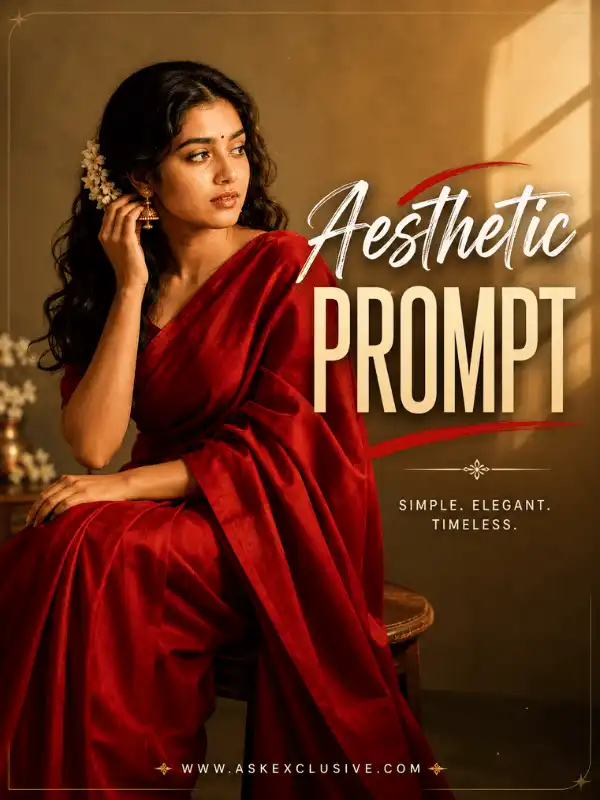
Aesthetic Prompt Ideas for Stylish AI Photos and Images
Looking for an aesthetic prompt for stylish AI photos or creative images? This guide helps you turn a general visual idea into a more controlled prompt by choosing a mood, colour palette, lighting style, background, composition and visual medium. You will find copyable examples for soft, minimal, moody, vintage, social-media, illustrated, nature, cinematic and professional looks.
Select the style that matches your goal, copy the example and replace the subject, clothing, colours, setting and ratio with your own preferences. The page also links to focused guides when you need a complete collection for one specific effect. AI-generated results may vary depending on the tool, model, settings, reference image and prompt wording.
What Is an Aesthetic Prompt?
| An aesthetic prompt is a written instruction that defines the visual mood and coordinated appearance of an AI image. It normally combines a subject, clothing or styling, colour palette, lighting, background, composition, atmosphere, photography or illustration style and aspect ratio. A clear prompt uses details that support the same visual direction instead of mixing unrelated effects. |
Quick Aesthetic Style Selector
Use this table to choose the broad visual direction before writing or copying a prompt.
| Desired visual result | Main characteristics | Suggested ratio | Detailed guide |
| Soft portrait | Pastel colours, gentle light and a simple setting | 3:4 | This Post |
| Minimal portrait | Neutral palette, clean background and negative space | 4:5 | This Post |
| Moody image | Deep shadows with controlled highlights | 3:4 | Lofi dusk prompts |
| Social selfie | Modern styling and natural phone composition | 4:5 | Mirror-selfie prompts |
| Cartoon image | Simplified illustrated appearance | 3:4 | Cartoon prompts |
| Cute chibi image | Small body and expressive illustrated features | 1:1 or 3:4 | Chibi prompts |
| Fine-art image | Painterly texture and controlled colours | 3:4 | Oil-painting prompts |
| Nature aesthetic | Weather, flowers or outdoor scenery | 3:4 | Nature guides |
| Cinematic image | Dramatic light, atmosphere and framing | 3:4 or 16:9 | Cinematic photo prompts |
| Professional portrait | Clean background and polished balanced lighting | 4:5 | Professional photo prompts |
Aesthetic-Prompt Formula
A useful formula is:
| Subject + clothing and appearance + pose and expression + aesthetic mood + controlled colour palette + background + lighting + composition + photography or art style + aspect ratio + quality instructions |
The important rule is that the mood, palette, light and background should support one another. A soft mood works naturally with pastel colours and diffused light. A moody portrait needs directional light and visible shadow detail. A vintage look benefits from a restrained retro palette, subtle grain and an appropriate setting.
| Simple Formula Example Mood: soft and calm | Palette: powder blue, cream and soft green | Ratio: 3:4 Create a soft aesthetic portrait of an adult Indian woman wearing a simple powder-blue outfit. Show her standing naturally beside a white flower garden with a calm expression. Use a pastel blue, cream and soft green colour palette, gentle morning light, natural skin texture, minimal background details and editorial portrait photography. Use a 3:4 ratio. |
What Makes an AI Image Look Aesthetic?
The word aesthetic does not refer to one fixed filter. It describes a coordinated visual appearance. An image usually feels more intentional when its colours, lighting, background, composition, clothing and texture create the same mood. The subject can be realistic, illustrated or painterly, but the visual choices should still feel connected.
Colour Harmony
Choose two to four main colours instead of requesting many unrelated shades. A limited palette makes it easier for the subject and background to belong to the same scene. Pastel blue, cream and blush can support a soft portrait. Charcoal, warm brown and deep blue can support a dusk scene. Beige, white and grey can create a clean minimal result.
Lighting That Matches the Mood
Lighting controls the emotional direction of an aesthetic photo prompt. Diffused morning light feels calm. Golden-hour light feels warm and romantic. Soft window light can create a vintage or intimate look. Low directional light supports a moody scene, while blue-hour light works well for modern city images. Clean studio lighting is better for minimal and professional portraits.
Composition and Background
State whether the image should be a close-up, waist-up portrait, full-length scene or wide composition. You can also request centred framing, an off-centre subject, symmetry or negative space. Keep the background consistent with the selected style: a white wall for minimal photography, a classic cafe for vintage imagery, a rainy street for a cinematic mood or a flower garden for a soft portrait.
Texture and Finish
Texture can make the intended medium clearer. Realistic prompts may request natural skin texture, detailed fabric and gentle background blur. Vintage prompts may use restrained film grain. Oil-painting prompts need visible brush texture, while rain scenes benefit from believable reflections and wet surfaces. Texture should strengthen the chosen style rather than add random decoration.
| Mood | Suitable palette | Matching lighting |
| Soft | Pastel blue, cream, pink | Diffused morning light |
| Minimal | Beige, white, grey | Clean studio light |
| Moody | Brown, charcoal, deep blue | Low directional light |
| Romantic | Rose, warm gold, cream | Golden-hour light |
| Vintage | Brown, faded green, amber | Soft window light |
| Cinematic | Teal, amber, muted tones | Dramatic side or rim light |
How to Write an Aesthetic Photo Prompt
1. Select the main subject. State the number of people, an appropriate age range, general appearance, main object or environment. Use clear terms such as “adult portrait” when mature styling or romantic concepts are involved.
2. Choose one primary aesthetic. Start with soft, minimal, moody, vintage, cinematic, cartoon, chibi, oil painting or another clear direction. Do not combine several unrelated styles unless the contrast is intentional.
3. Select a controlled colour palette. Name specific colours instead of writing “beautiful colours.” Two to four main colours are normally easier to coordinate.
4. Choose compatible lighting. Match the light to the mood. For example, use diffused morning light for a gentle portrait or controlled side light for a darker scene.
5. Describe the background. Mention the location, important objects and the amount of detail. Ask for an uncluttered or softly blurred background when the subject should remain dominant.
6. Define the composition. Request close-up, waist-up, full-length, centred, symmetrical, off-centre or wide framing. Add negative space when the image needs room for a headline.
7. Name the visual medium. Choose realistic photography, editorial photography, cinematic photography, cartoon illustration, chibi illustration, miniature art or oil painting.
8. Add the image ratio. Match the ratio to the intended platform or design. The ratio guides framing but may not be supported identically by every tool.
9. Review and simplify. Remove repeated adjectives and conflicting effects. A shorter coordinated prompt is often clearer than a long list of unrelated visual terms.
When writing a prompt for aesthetic photo creation, begin with the visual outcome rather than adding decorative words at random. A useful prompt explains what should be visible and how each visual choice supports the same mood.
Best Aesthetic AI Prompts to Copy and Customize
The following broad examples are starting points. They intentionally cover different visual directions without replacing the detailed supporting guides. Customize each prompt before generating an image.
| 1. Soft Pastel Aesthetic Prompt Visual mood: gentle and elegant | Palette: blush pink, cream and soft green | Ratio: 3:4 Create a soft pastel portrait of an adult Indian woman wearing a light-pink flowing outfit. Place her beside a garden filled with white and pale-pink flowers. Use diffused morning light, soft cream and blush tones, realistic skin texture, gentle background blur and elegant editorial photography. Use a 3:4 ratio. Customize: Main pastel colour, flowers, outfit, indoor or outdoor location and image ratio. |
| 2. Minimal Aesthetic Prompt Visual mood: clean and calm | Palette: beige, warm white and grey | Ratio: 4:5 Create a clean minimal portrait of an adult Indian creator wearing a simple beige outfit. Use a plain warm-white studio background, balanced soft lighting, natural posture, realistic skin texture and generous negative space. Keep the composition uncluttered and use a 4:5 ratio. Customize: Background colour, clothing, framing, amount of negative space and expression. |
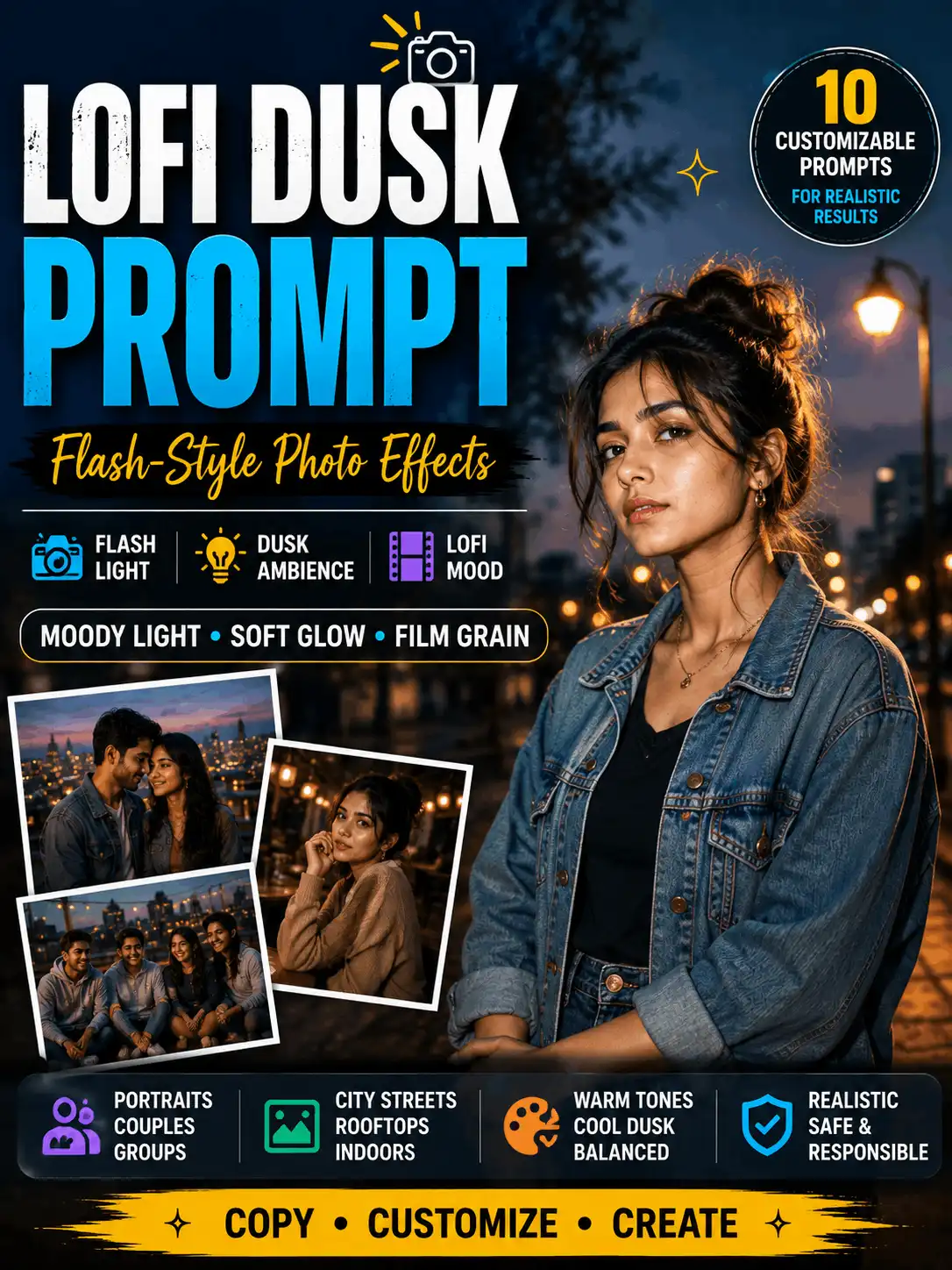
| 3. Dark Moody Aesthetic Prompt Visual mood: reflective and atmospheric | Palette: charcoal, warm brown and deep blue | Ratio: 3:4 Create a moody portrait of an adult Indian man sitting beside a cafe window during dusk. Use a charcoal and warm-brown colour palette, directional window light, deep but detailed shadows, natural skin texture, subtle film grain and cinematic editorial photography. Keep the face clearly visible. Use a 3:4 ratio. Detailed guide: Explore lofi dusk prompts. |
| 4. Vintage Cafe Aesthetic Prompt Visual mood: nostalgic | Palette: amber, faded green and brown | Ratio: 3:4 Create a realistic vintage-style portrait of an adult Indian woman inside a classic cafe. Use a simple retro outfit, warm brown and faded-green tones, soft window light, natural film grain, detailed facial features and 1970s-inspired editorial photography. Use a 3:4 ratio. Customize: Decade, outfit, cafe details, grain strength, colour palette and camera framing. |
| 5. Nature Aesthetic Prompt Visual mood: peaceful and dreamy | Palette: misty blue and natural green | Ratio: 3:4 Create a peaceful outdoor portrait of an adult Indian woman standing beside a misty lake during early morning. Use a soft blue and green palette, natural fabric movement, light fog, gentle reflections, realistic skin texture and dreamy editorial photography. Keep the setting calm and uncluttered. Use a 3:4 ratio. Customize: Weather, location, clothing fabric, fog level, colour temperature and framing. |
| 6. Mirror-Selfie Aesthetic Prompt Visual mood: modern lifestyle | Palette: neutral interior colours | Ratio: 4:5 Create a realistic mirror-selfie style image of an adult Indian creator in a clean modern room. Use a natural phone-holding pose, a coordinated casual outfit, soft window light, an uncluttered background, believable mirror reflections and balanced social-media photography. Keep the phone and hands proportionate. Use a 4:5 ratio. Detailed guide: Explore mirror-selfie prompts. |
| 7. Rainy Cinematic Aesthetic Prompt Visual mood: cinematic and atmospheric | Palette: muted blue with warm highlights | Ratio: 9:16 Create a cinematic full-length portrait of an adult Indian creator standing on a rain-washed city street during blue hour. Add controlled rainfall, realistic wet-road reflections, soft warm lights in the distance, natural clothing movement, clear facial light and professional cinematic photography. Use muted colours and a 9:16 ratio. Detailed guide: Explore rain prompts. |
| 8. Professional Social Profile Prompt Visual mood: polished and approachable | Palette: neutral | Ratio: 4:5 Create a clean professional portrait of an adult Indian digital creator wearing simple formal clothing. Use a neutral background, balanced studio lighting, a natural confident expression, realistic skin texture, accurate head-and-shoulders framing and minimal visual effects. Use a 4:5 ratio. Detailed guide: Explore professional photo prompts. |
Soft and Calm Aesthetic Prompts
Soft styles use gentle colour relationships, diffused light and limited background detail. Pastels are common, but a soft result does not require pink. Powder blue, cream, muted lavender, pale green and warm white can also create a calm visual direction. Select one main colour and one or two supporting tones.
Keep clothing simple so fabric and colour support the face rather than compete with it. Flowers, curtains, plain walls, quiet gardens and bright rooms work well when they are not overcrowded. Ask for a relaxed expression, natural posture and balanced skin texture. A close-up or waist-up portrait can create intimacy, while a full-length scene needs more background control.
For a minimal variation, remove decorative objects and request a plain background, clear subject separation and generous negative space. This is useful for profile images, blog graphics and designs that need room for text. Avoid combining soft pastels with harsh neon lights or heavy dramatic shadows unless that contrast is the actual creative goal.
Dark and Moody Aesthetic Prompts
A dark aesthetic should still preserve important detail. Use charcoal, deep blue, brown or muted green as the main palette, then add one controlled highlight colour. Directional window light, low side light, dusk or blue-hour lighting can create depth without hiding the face.
Cafes, rainy streets, quiet rooms, city rooftops and dusk landscapes are suitable settings. Ask for deep but detailed shadows, visible eyes, realistic skin and subtle grain. Atmospheric depth can come from fog, rain, reflections or distant lights, but the subject should remain readable.
Avoid completely black facial areas, crushed shadow detail, random neon colours and excessive contrast. Horror elements should only appear when the selected concept is intentionally fictional and non-graphic. For a complete dusk-focused collection, use the lofi dusk prompt guide.
Social-Media Aesthetic Prompts
Social-media styles usually combine modern clothing, simple locations and framing designed for feeds, profile pictures, carousels or Reels. Useful concepts include a mirror selfie, rooftop portrait, cafe lifestyle image, street-style photo, fitness portrait and clean professional profile picture.
For a mirror selfie, describe the phone position, mirror angle, room, outfit and reflection quality. For a rooftop or street portrait, mention the time of day and background separation. For fitness imagery, keep the pose natural and the body proportions realistic. A professional profile should use a neutral setting, balanced light and minimal effects.
| Mirror Selfie Natural phone composition, believable reflection and a clean room. Read mirror-selfie prompts |
| Fitness Portrait Appropriate activewear, realistic posture and controlled gym lighting. Read gym prompts |
| Professional Profile Neutral background, clear framing and balanced studio light. Read professional photo prompts |
Gangster-Style Backgrounds and Tattoo Aesthetics
Fictional Gangster-Style Backgrounds
Treat a gangster-style aesthetic as a fictional cinematic look rather than a depiction of real criminal activity. You can use dark formal clothing, a moody urban background, dramatic shadows, a luxury building or vehicle and a confident non-violent posture. Keep the concept original and avoid weapons, real gang symbols, criminal instructions, real criminal identities or glorification of violence. The focused guide is gangster-style backgrounds.
Tattoo Aesthetic Prompts
A tattoo prompt should specify the location, size, pattern, colour, skin interaction, lighting and how much of the design is visible around the clothing. Use adult subjects for mature tattoo concepts. Exclude hate symbols, gang insignia and unauthorized real-person names. Check generated spelling carefully, and do not describe an AI concept as ready for permanent application without review by a qualified tattoo professional. See the complete tattoo prompts guide.
Cartoon and Illustration Aesthetic Prompts
Illustrated aesthetics should name the intended art form clearly. A cartoon simplifies features and shapes. Chibi art uses a small stylized body with expressive illustrated features. Miniature art presents a tiny subject or handcrafted scale. An oil painting uses visible painterly texture, controlled colour and canvas-like detail.
| Style | Main appearance | Detailed guide |
| Cartoon | Simplified illustrated features and clean shapes | Cartoon prompts |
| Chibi | Small body and expressive illustrated features | Chibi prompts |
| Miniature | Tiny subject or handcrafted scale | Miniature prompts |
| Oil painting | Visible brush texture and painterly colour | Oil-painting prompts |
| Short Chibi Aesthetic Prompt Visual mood: cheerful | Palette: soft pastel colours | Ratio: 1:1 Create a cheerful chibi-style illustration of an adult Indian creator wearing a blue jacket and holding a small camera. Use a simplified body, expressive illustrated eyes, clean outlines, soft pastel colours and a minimal city background. Use a 1:1 ratio. |
For oil-painting imagery, describe brush texture, canvas detail, light direction and a limited palette. Use original fictional subjects and avoid copying a protected artwork or a living artist’s exact signature style. For a complete collection, open the dedicated art-style guides rather than adding every illustration variation to this pillar.
Fantasy, Weather and Nature Aesthetics
Nature and weather effects can change both the setting and the mood. Select one main environment, then describe how the subject, lighting and palette belong inside it. Snowfall needs believable snow depth and facial light. A beach image benefits from natural movement and horizon control. Butterflies should match the scene’s depth and lighting. Rain should include controlled rainfall and realistic reflections.
| Desired effect | Best starting guide |
| Snowy atmosphere | AI-generated snowfall ideas |
| Beach setting | Beach prompts |
| Butterflies and flowers | Butterfly prompts |
| Fantasy dragon scene | Dragon photo editing |
| Dark supernatural mood | Ghost prompts |
| Rain and reflections | Rain prompts |
Snowfall Aesthetic Example
Create a peaceful winter portrait of an adult Indian woman standing beneath gentle snowfall. Use a cream coat, soft blue and white tones, natural snow depth, warm facial light, realistic skin texture and cinematic winter photography. Use a 3:4 ratio.
Beach Aesthetic Example
Create a relaxed lifestyle portrait of an adult Indian creator walking beside a quiet beach during sunset. Use simple linen clothing, warm golden reflections, natural movement, soft ocean blur and editorial travel photography. Use a 4:5 ratio.
Butterfly Aesthetic Example
Create a dreamy portrait of an adult Indian woman in a flower garden with a few realistic butterflies visible around her. Keep the butterflies away from the face, match their depth and lighting with the scene, and use soft morning light and elegant portrait photography. Use a 3:4 ratio.
Ghost and Dark-Fantasy Guidance
Keep supernatural concepts fictional and non-graphic. Fog, silhouettes, moonlight and abandoned fantasy settings can create atmosphere without showing graphic injury or presenting a fabricated scene as genuine paranormal evidence. Avoid disturbing child imagery and real-person death depictions.
Photography and Cinematic Aesthetic Prompts
Photography-focused prompts should identify the purpose of the image. A cinematic portrait emphasizes atmosphere, dramatic light and film-style framing. A fitness image needs natural movement and realistic anatomy. A horse-and-rider scene needs accurate interaction and environment. A professional portrait prioritizes clarity, neutral styling and reliable framing.
| Photography goal | Detailed guide |
| Dramatic film-style portrait | Cinematic photo prompts |
| Fitness portrait | Gym prompts |
| Horse and rider image | Horse prompts |
| General camera-style concepts | Photography prompts |
| Formal profile image | Professional photo prompts |
Cinematic Aesthetic Example
Create a cinematic portrait of an adult Indian woman standing beside a misty forest pathway at sunrise. Use warm light rays, soft fog, natural fabric movement, realistic skin texture, shallow depth of field and professional cinematic photography. Use a 3:4 ratio.
Professional Aesthetic Guidance
A professional image should prioritize clarity over decorative effects. Use a neutral background, balanced lighting, natural expression, appropriate formal clothing, accurate framing, realistic skin texture and minimal visual effects. Avoid heavy colour grading, fantasy decoration or distracting objects when the image is intended for a profile, author page or business context.
Using Aesthetic Prompts Across AI Tools
The same core prompt can be adapted across different AI image tools, but interfaces, models, reference-image support and ratio controls may vary. Results will not be identical even when the wording is unchanged. Begin with the complete visual description, then adjust the format to the controls available in the platform you are using.
When a tool supports a reference image, upload only a photo that you have permission to use. Ask for recognizable features to be preserved where appropriate, but review the result carefully because facial details can still change. Platform features and commercial-use terms can be updated, so verify current instructions and terms in the official documentation before publishing tool-specific claims.
For broader platform guidance, see Gemini AI photo prompt copy-paste ideas and the ChatGPT prompt guide.
How to Customize an Aesthetic Prompt
Subject
Change the number of people, age range, general appearance, hairstyle and expression. Use precise but respectful descriptions. For romantic or mature styling, clearly state that the subjects are adults. For children, keep clothing, poses and styling age-appropriate.
Clothing and Accessories
Specify the outfit, fabric, main colour, accessories and jewellery. The clothing should support the selected palette. A minimal portrait may use plain linen or a solid-colour outfit. A vintage image may use a simple retro silhouette. A cinematic scene may use flowing fabric that reacts naturally to wind or rain.
Mood
Choose one emotional direction such as calm, dreamy, romantic, moody, confident, nostalgic or mysterious. The expression, posture, colours and lighting should reinforce that mood.
Colour Palette
Choose two to four main colours. Name a dominant colour, one supporting colour and an optional accent. Avoid asking for every colour at the same intensity. A controlled palette helps the result look coordinated.
Background
Useful options include a garden, studio, cafe, beach, city street, heritage courtyard, forest or rooftop. State whether the background should be detailed, minimal, softly blurred or atmospheric. Remove unrelated objects that do not support the visual direction.
Lighting
Select soft morning light, golden hour, window light, dusk light, blue hour or studio lighting. Describe whether the face should be evenly lit, softly rim-lit or shaped by directional light. Dark scenes should still retain visible facial details.
Visual Medium
Choose realistic photography, editorial photography, cinematic photography, cartoon, chibi, miniature art or oil painting. Do not request several incompatible mediums in the same prompt unless the mixture is intentional and clearly explained.
Composition
State close-up, waist-up, full-length or wide framing. Mention centred or off-centre placement, symmetry, negative space and camera angle where useful. Composition is especially important when the image will include a headline or be cropped for a social platform.
Choose the Correct Aspect Ratio
| Intended use | Recommended ratio |
| Square aesthetic post | 1:1 |
| Portrait social-media feed | 4:5 |
| Detailed portrait | 3:4 |
| Story or Reel | 9:16 |
| Wide cinematic scene or blog cover | 16:9 |
| Landscape photograph | 4:3 |
| Existing-image style edit | Keep the original ratio unless reframing is needed |
Ratios guide the composition, but the exact controls differ by platform. Check the final crop before publishing. Important faces, hands and text-safe areas should not sit too close to an edge.
Negative Instructions for Aesthetic Prompts
Use negative instructions only when they address likely errors in the selected scene. A practical example is:
| Avoid distorted hands, extra fingers, duplicate people, plastic skin, conflicting colour palettes, cluttered backgrounds, random text, logos, watermarks, oversaturation and unrelated decorative objects. |
Do not attach the same long negative list to every prompt. Clear positive instructions should remain the priority, and no negative list can guarantee an error-free result.
Common Aesthetic-Prompt Problems and Fixes
| Problem | Recommended fix |
| The image looks generic | Define the palette, lighting, mood and composition. |
| There are too many colours | Limit the main palette to two to four colours. |
| The styles conflict | Choose one primary visual style and remove unrelated effects. |
| The background is cluttered | Request a clean, minimal or softly blurred setting. |
| The subject does not stand out | Add contrast, negative space or background separation. |
| The skin looks artificial | Request natural skin texture, balanced light and limited smoothing. |
| The mood is unclear | Use one clear emotional direction and matching light. |
| The image is oversaturated | Request muted, restrained or balanced colours. |
| The face is too dark | Request visible facial light and detailed shadows. |
| Generated text is incorrect | Create the image without important text and add the final wording manually. |
| The composition is wrong | State close-up, full-length or wide framing and subject placement. |
| The result changes between generations | Record the tool, visible model, prompt version and settings, then revise one detail at a time. |
How to Use These Aesthetic AI Prompts
1. Select a style: Choose the prompt type that matches your intended mood and publishing format.
2. Change the details: Customize the subject, clothing, palette, pose, location, lighting and ratio.
3. Generate the image: Paste the revised prompt into a supported AI image tool.
4. Review the result: Check the face, hands, fingers, body proportions, background objects, clothing, jewellery, reflections and any generated text.
5. Improve the prompt: Correct unclear or ignored details and generate another version when necessary.
Use only reference photos that you have permission to upload and edit. Do not present fictional scenes as photographs of genuine events, and avoid fabricated celebrity endorsements or misleading identity changes.
Frequently Asked Questions
What is an aesthetic prompt?
An aesthetic prompt is a written description that controls the mood and coordinated appearance of an AI image. It can specify the subject, clothing, palette, lighting, background, composition, texture, visual medium and aspect ratio.
How do I write an aesthetic photo prompt?
Start with the subject, choose one visual style, select two to four colours, add matching lighting, describe the background and composition, name the photography or illustration medium and finish with the intended ratio. Remove conflicting instructions before generating the image.
What details make an AI image aesthetic?
Colour harmony, matching light, a clear mood, suitable clothing, controlled background detail, intentional composition and consistent texture make the image feel coordinated. The details should support one another rather than appear as unrelated effects.
Which colours work in an aesthetic prompt?
The best colours depend on the mood. Pastel blue, cream and pink can support a soft look. Beige, white and grey suit minimal images. Brown, charcoal and deep blue work for moody scenes. Amber and faded green can create a vintage direction. Use a limited palette instead of many equally strong colours.
What is the best aesthetic style for portraits?
There is no single best style. Soft pastel and minimal styles work well for calm portraits. Moody and cinematic styles suit dramatic images. Vintage styles create nostalgia, while professional styles are better for profiles and author pages. Choose the style that matches the intended use.
Can I copy and customize these prompts?
Yes. Use each example as a starting point and change the subject, clothing, colours, pose, background, light and ratio. Customization helps the image reflect your own idea and reduces repetitive results.
Can the prompts work in different AI tools?
The main visual description can be adapted across tools, but available features, ratio controls, reference-image support and output style can differ. Review the platform’s current documentation and expect results to vary.
What is the difference between aesthetic and cinematic prompts?
An aesthetic prompt is a broad instruction for a coordinated visual mood. A cinematic prompt is a narrower photography direction that usually emphasizes dramatic lighting, atmosphere, depth and film-style framing. Cinematic is one possible aesthetic rather than a separate opposite.
Which aspect ratio should I use?
Use 1:1 for square posts, 4:5 for portrait feeds, 3:4 for detailed portraits, 9:16 for Stories and Reels, 16:9 for wide scenes or blog covers and 4:3 for landscape photographs. Keep the original ratio for an existing-image edit unless reframing is necessary.
Why does my image look oversaturated?
The prompt may contain too many strong colours or words such as vibrant, neon and glowing. Reduce the palette, request muted or balanced colour, and choose one accent instead of several. Also remove conflicting light sources.
How do I create a minimal aesthetic image?
Use a neutral two- or three-colour palette, a plain background, one subject, clean soft light and generous negative space. Limit accessories and decorative objects. State that the composition should remain uncluttered.
Can I create cartoon or chibi aesthetic images?
Yes. Name the illustration medium clearly. Cartoon prompts use simplified illustrated features, while chibi prompts use a small stylized body and expressive features. Keep the subject, outfit, palette and background consistent with the chosen style.
Can I apply an aesthetic style to my own photo?
Where the tool supports reference-image editing, you can request changes to the background, colour palette, lighting or visual style. Upload only a photo that you have permission to use and review the result for unintended identity or body changes.
How do I preserve the original face?
Ask the tool to keep the person recognizable and preserve the facial structure, skin tone, hairstyle, age and natural expression. Avoid contradictory beauty-filter instructions. Even with clear wording, facial details may change, so compare the output with the authorized reference before publishing.
Can I use an AI-generated aesthetic image commercially?
Commercial-use rights depend on the current terms of the tool, the material included in the image and how the result is used. Review the platform’s current terms and avoid unauthorized copyrighted material, trademarks, celebrity identities or another person’s photograph.
All Supporting Aesthetic Guides
This pillar helps you choose a broad direction. Open a focused guide when you need a complete collection for one specific style or effect.
| Aesthetic and Social Effects Gangster-style backgrounds Lofi dusk prompts Mirror-selfie prompts Tattoo prompts |
| Art and Illustration Cartoon prompts Chibi prompts Miniature prompts Oil-painting prompts |
| Fantasy, Weather and Nature AI-generated snowfall ideas Beach prompts Butterfly prompts Dragon photo editing Ghost prompts Rain prompts |
| Photography and Cinematic Styles Cinematic photo prompts Gym prompts Horse prompts Photography prompts Professional photo prompts |
Related Pages
• Gemini AI Photo Prompt Copy Paste
• ChatGPT Prompt
Final Thoughts
A useful aesthetic prompt does more than ask for a beautiful image. It defines one visual direction and coordinates the subject, colour palette, light, background, composition and medium around that direction. Start with a broad style, use a controlled palette and select lighting that supports the mood. Then customize the prompt and review the complete result before publishing.
Use this page as a style-selection hub. For a general portrait, begin with one of the broad examples above. For a detailed collection such as cartoon, chibi, snowfall, rain, cinematic photography or professional portraits, open the appropriate supporting guide.
| Ready to Create Your Image? Choose a visual style, open the detailed guide and customize the prompt for your creative idea. Browse Aesthetic and Social Effects Explore AI Image Styles and Effects |
Author and Review Information
Written and manually reviewed by: Swetha
Role: AI Prompt Creator and Digital Content Specialist
Swetha is an MCA graduate with five years of experience in blogging, YouTube and social media, plus two years of experience in AI prompt creation. She uses Gemini and ChatGPT daily to create practical AI image prompts, photo-editing ideas and beginner-friendly guides for AskExclusive.
Published: 04.08.2026
Last updated: 04.08.2026
Editorial policy links : Prompt Testing Methodology, Corrections Policy, AI Content and Image Disclosure.
AI Content and Image Disclosure
Some prompt examples and images on this page may be created with AI tools for educational and creative demonstration. AI-generated and AI-edited images should be labelled clearly and should not be presented as genuine photographs of real events. Results may vary as platforms, models and settings change.