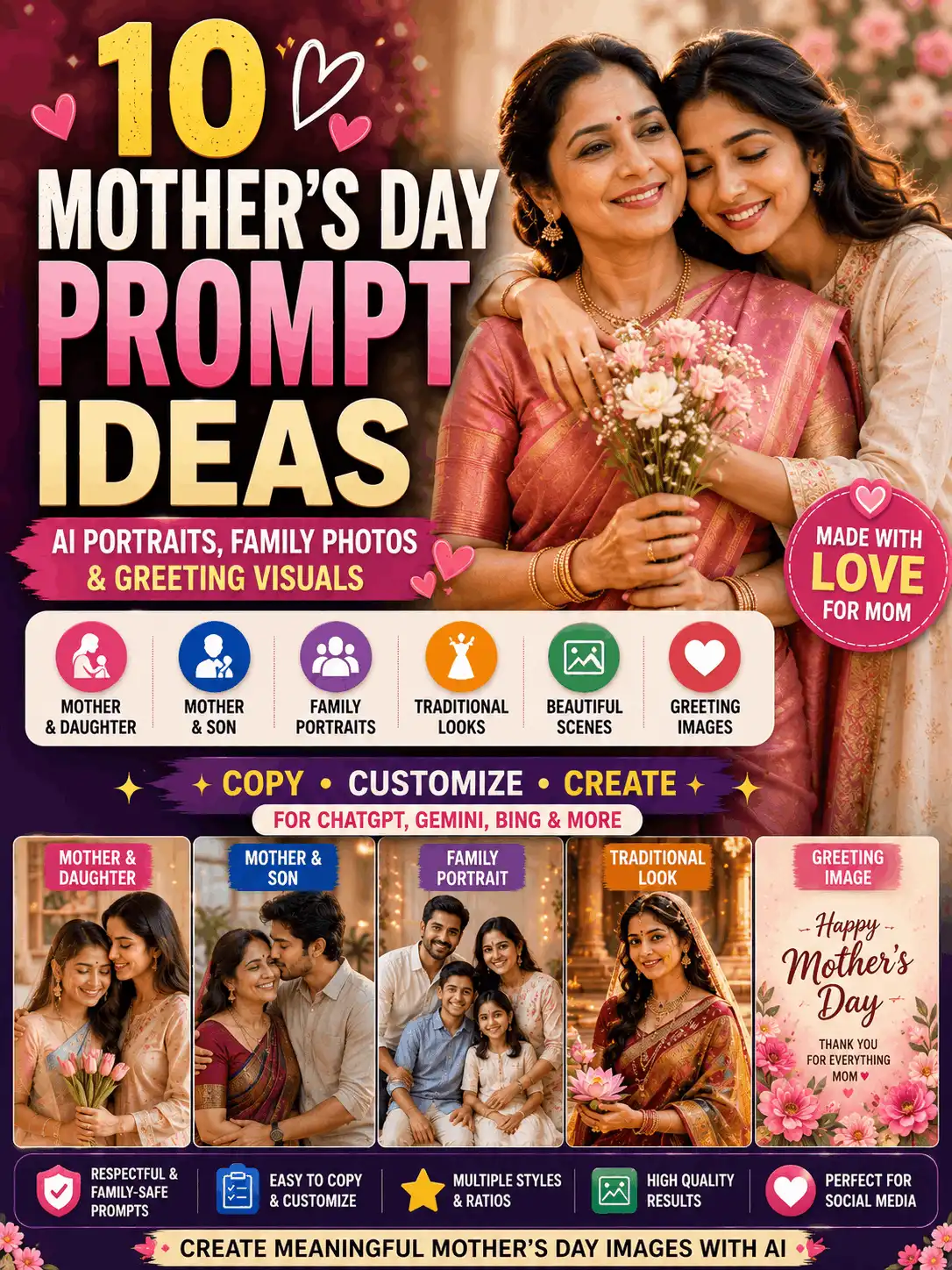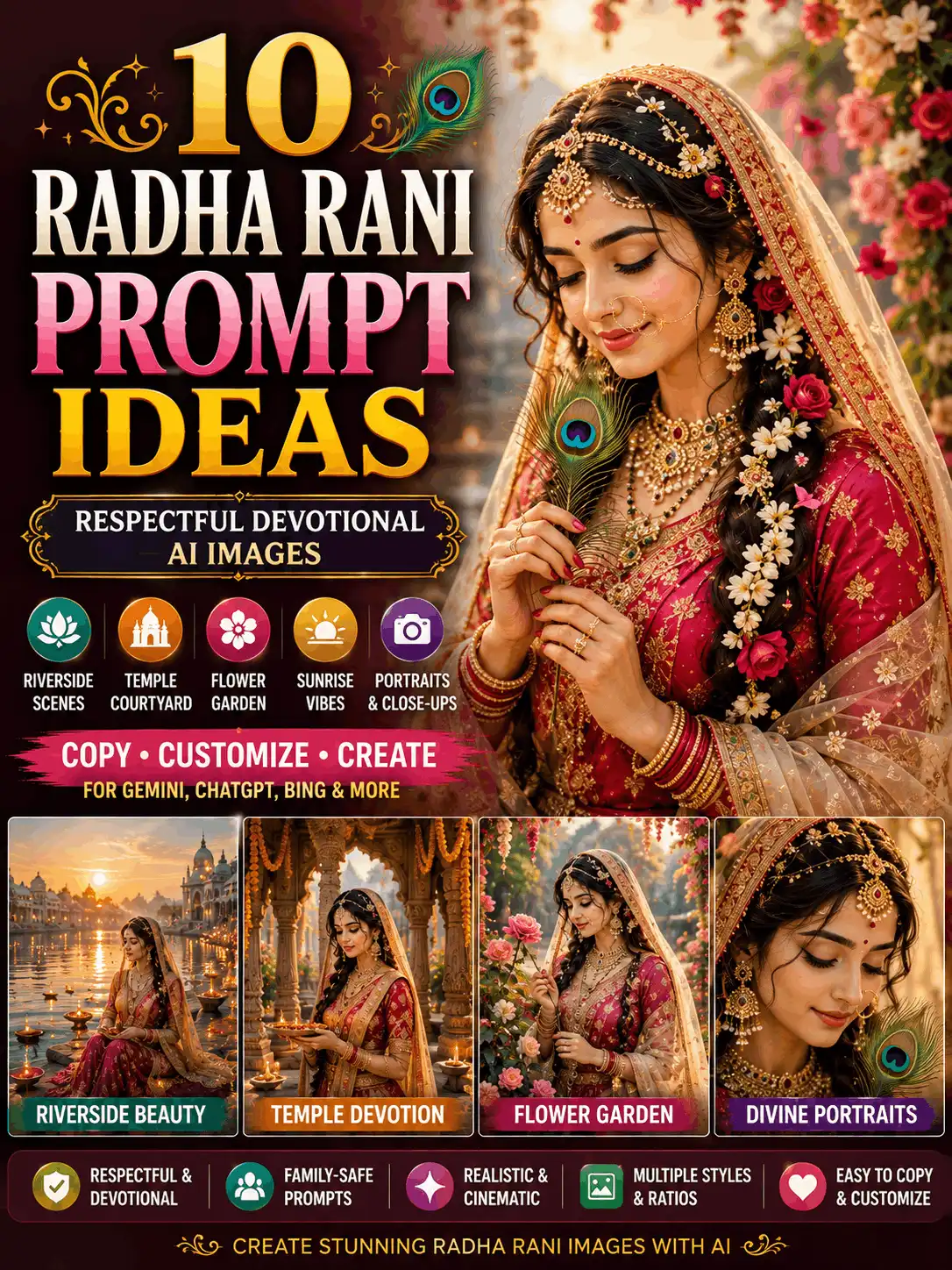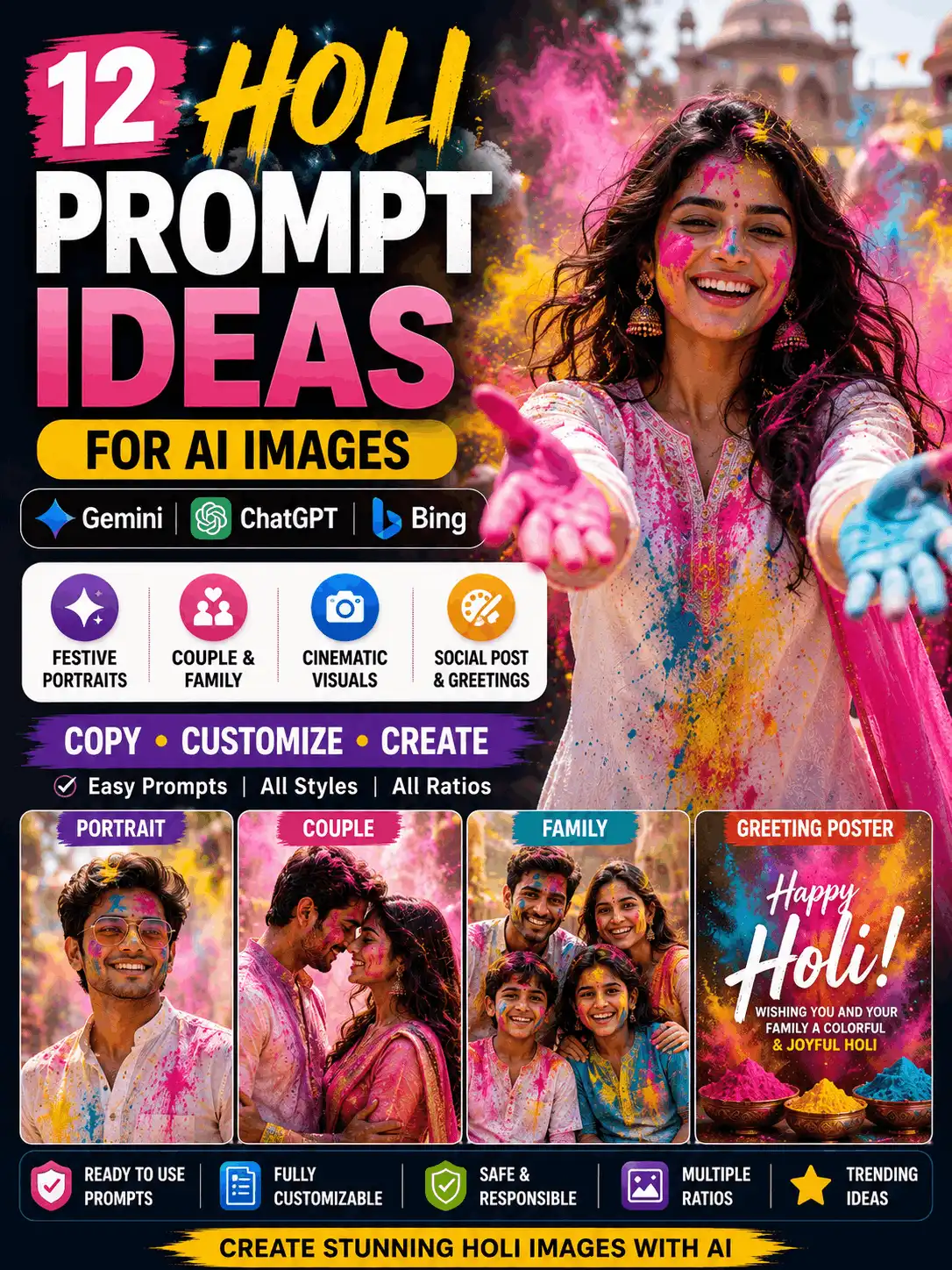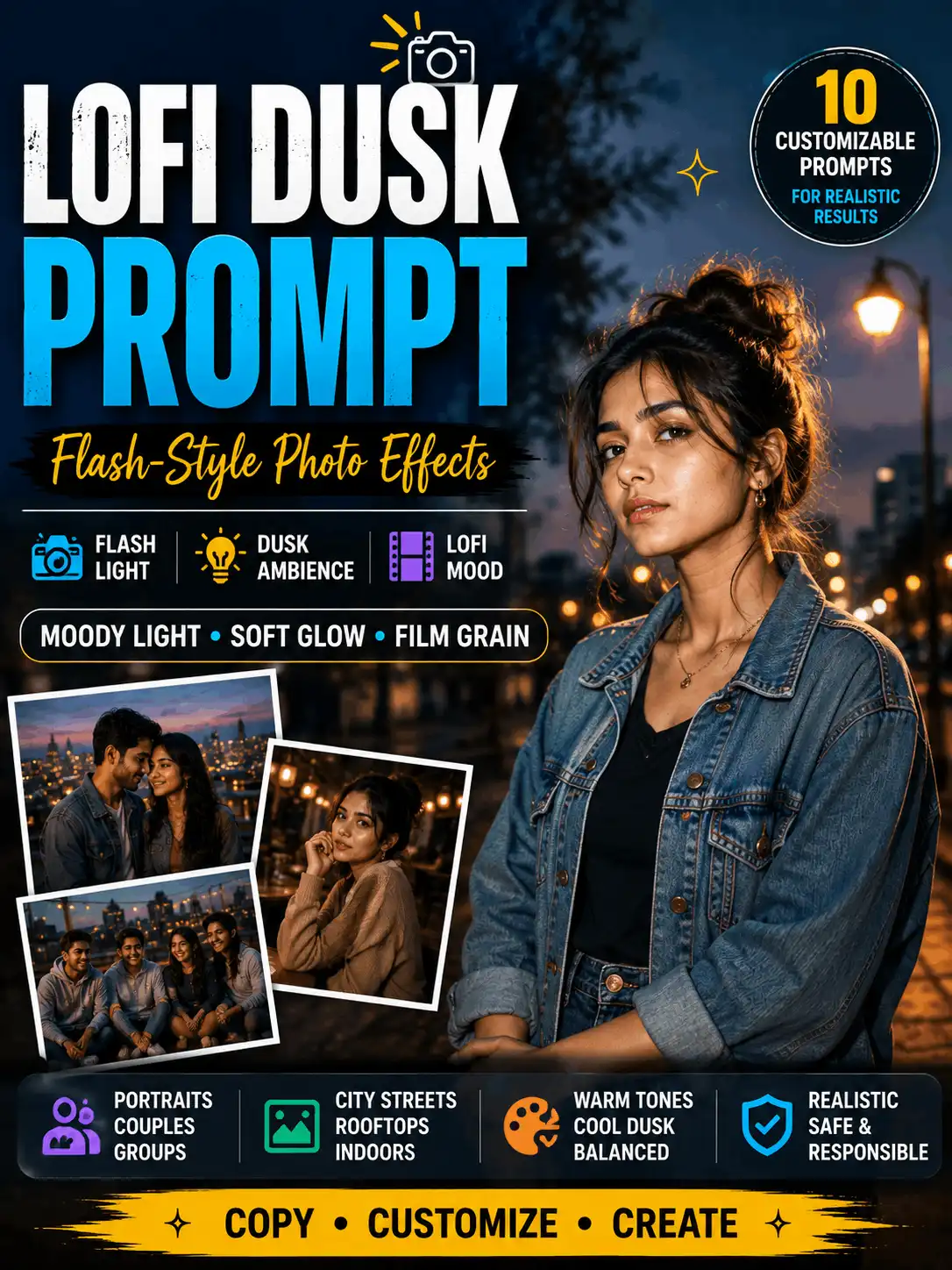

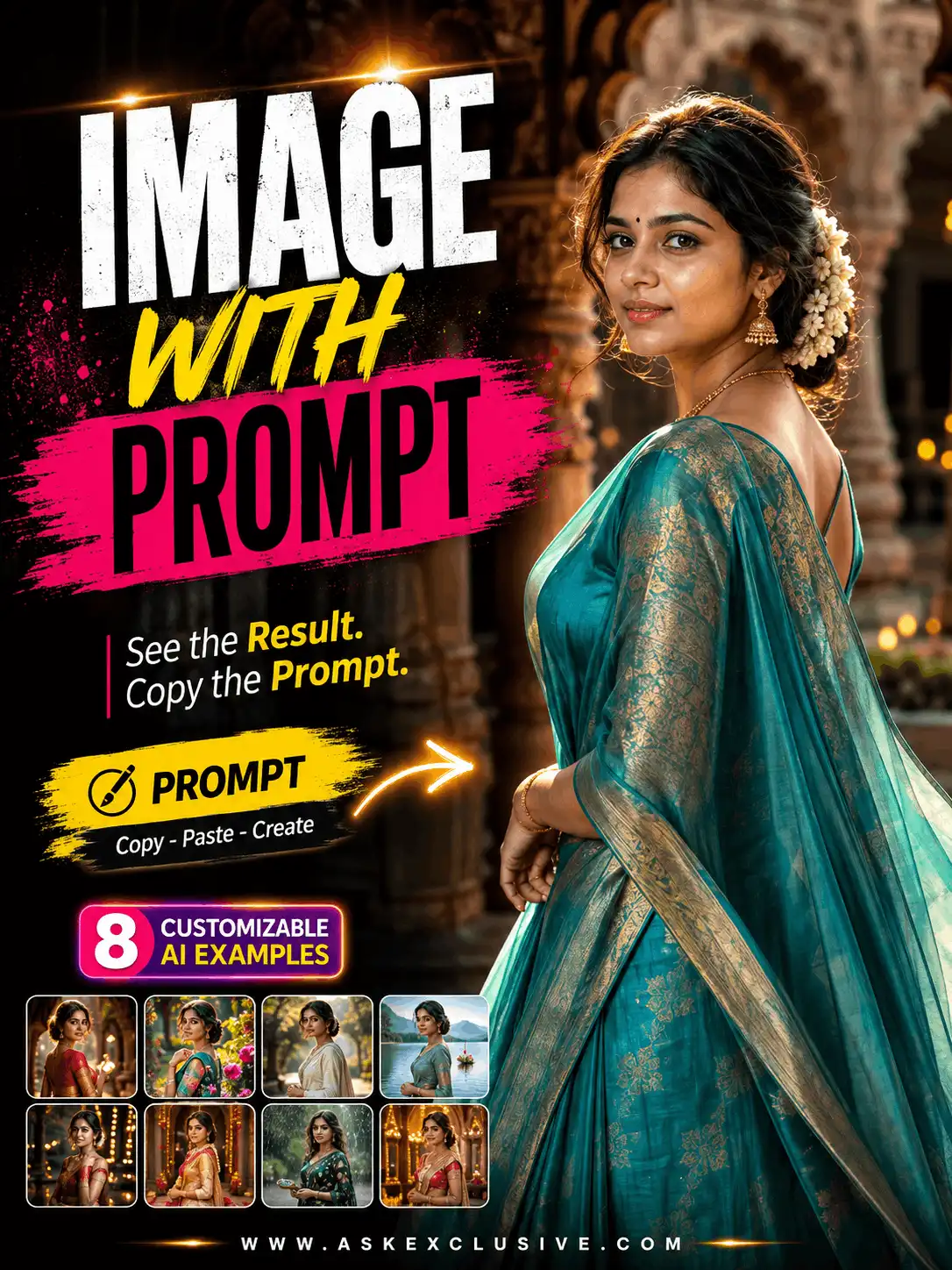
Image with Prompt: Example Images and Customizable Prompts
An image is much easier to understand and customize when the result and the prompt appear together. This collection pairs original AI-image concepts with the exact written instructions intended to create them, followed by practical notes on what you can change.
Choose a realistic portrait, traditional Indian look, cinematic scene, professional profile, adult couple, family, aesthetic social image or respectful devotional concept. Replace details such as the subject, clothing, pose, background, lighting and image ratio before generating your version. Results may vary between AI tools, models, settings and reference images.
| QUICK ANSWER An image with prompt example shows an AI-generated result together with the written instructions used to create it. The clearest format places the image first, the matching prompt directly below it, and short notes explaining what users can customize, such as clothing, pose, background, lighting, style and image ratio. |
How to Use These Image and Prompt Examples
Start with the image style closest to your goal. Add the original result image above its prompt, copy the prompt, and replace the details that describe the subject, clothing, pose, location, lighting and aspect ratio. Keep each prompt beside the image it actually produced so readers can judge the relationship between the instruction and the result.
Change several fields instead of publishing a copy that looks identical to every other example. A simple prompt structure is subject + clothing + pose + expression + background + lighting + camera style + aspect ratio + quality requirements. For broader guidance, browse the AI prompt archive or explore general image prompts.
Image with Prompt Examples
Each section below is designed as one truthful prompt-and-result pair. Generate the original image from the displayed prompt, record the tool and test date, and regenerate the image whenever the published prompt changes.
Realistic Portrait Image and Prompt
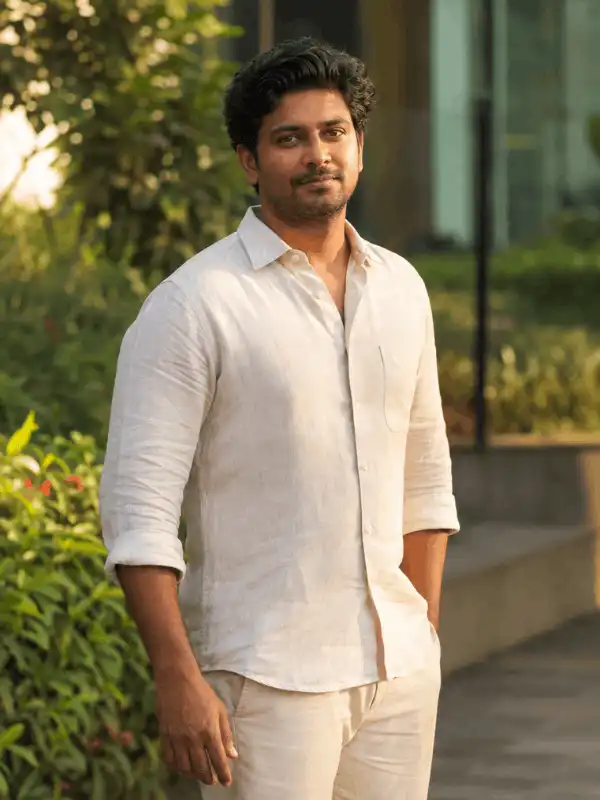

Create a realistic editorial portrait of an adult Indian creator standing naturally beside a softly blurred urban garden during late-afternoon light. Dress the subject in a simple cream linen shirt with clean tailoring. Show a calm, approachable expression, relaxed shoulders and one hand resting naturally by the side. Use realistic Indian facial features, natural skin texture, detailed hair, accurate hands, balanced skin tones, soft background separation and professional DSLR portrait photography. Use an 85mm portrait-lens look, shallow depth of field and a 3:4 aspect ratio. No text, logos or watermarks.
Best for: Profile portraits, Creator pages, Editorial examples, Personal branding.
Customize these details: adult subject, outfit and color, pose, expression, location, lighting direction, camera framing.
Suggested image ratio: 3:4
Result and review note: Use this as the simplest demonstration of the page format. The published image should be generated from this exact prompt, then manually checked for face quality, hands, clothing edges and background artifacts.
Traditional Indian Portrait Image and Prompt
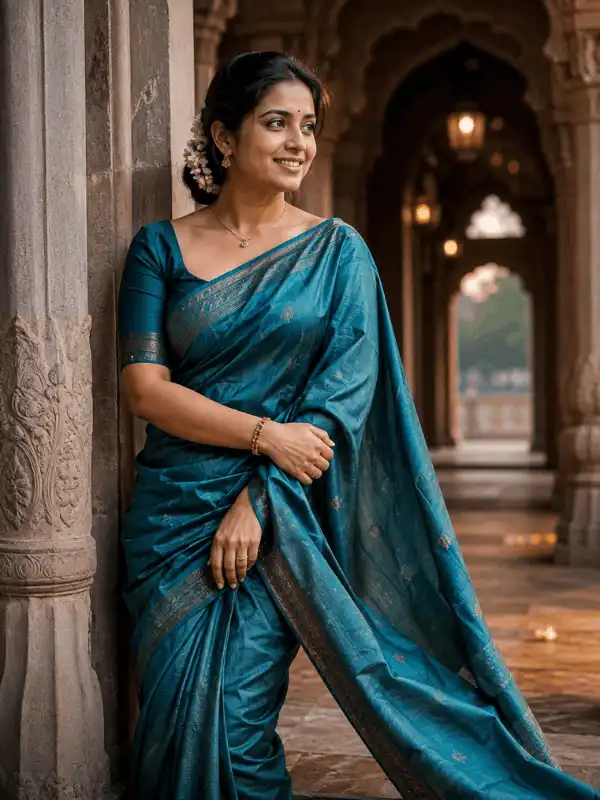
Create an ultra-realistic portrait of an adult Indian woman standing in an elegant heritage courtyard during soft golden-hour light. Dress her in a refined teal silk saree with a coordinated blouse, minimal gold jewellery, a small bindi and jasmine flowers in her naturally styled hair. Show a confident but approachable expression and graceful posture. Add carved stone arches, warm lamps, subtle fabric movement, realistic Indian facial features, natural skin texture, accurate hands, detailed silk and premium Indian editorial photography. Use a 3:4 aspect ratio. No generated text, logos or watermarks.
Best for: Traditional portraits, Cultural styling, Festival inspiration, Editorial saree images.
Customize these details: saree or kurta style, main colors, jewellery, hairstyle, heritage setting, pose, lighting.
Suggested image ratio: 3:4 or 4:5
Result and review note: Review fabric borders, jewellery placement, hands and fingers before publishing. Keep this page to one representative traditional example and route larger saree collections to the specialist guide.
See saree prompt ideas for Gemini
Cinematic Portrait Image and Prompt
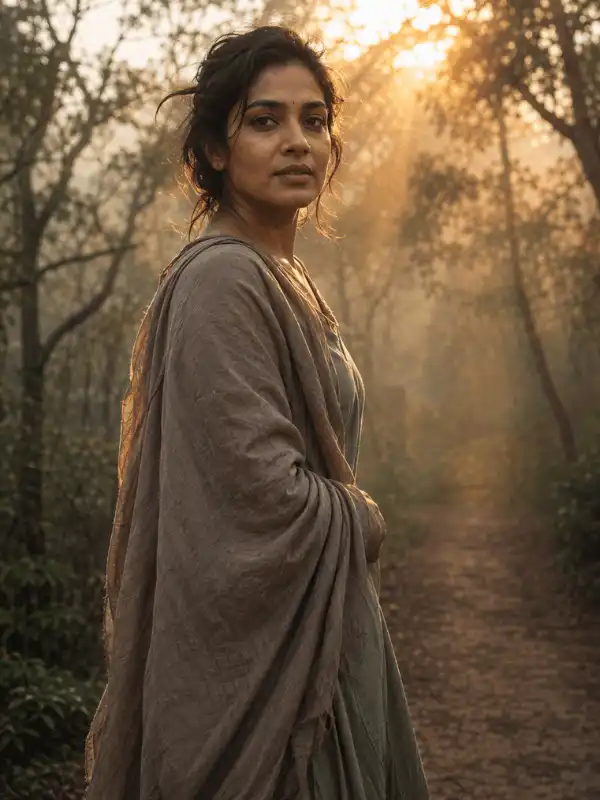
Create a cinematic portrait of an adult Indian woman standing beside a misty forest pathway at sunrise. Dress her in a simple flowing outfit in muted earthy colors. Show a calm expression and a natural three-quarter pose while she looks slightly past the camera. Add soft fog, warm light rays through the trees, realistic skin texture, natural fabric movement, sharp expressive eyes, shallow depth of field and professional cinematic photography. Use balanced colors, detailed shadows and a 3:4 aspect ratio. No text, logos or watermarks.
Best for: Movie-style portraits, Dramatic social posts, Creative profile images, Atmospheric storytelling.
Customize these details: subject, outfit, action, location, weather, time of day, camera angle, ratio.
Suggested image ratio: 3:4 or 9:16
Result and review note: Keep the mood consistent. Avoid combining cinematic photography with unrelated cartoon, oil-painting and 3D styles in the same prompt unless a deliberate mixed style is required.
Explore cinematic photo prompts
Professional Profile Image and Prompt
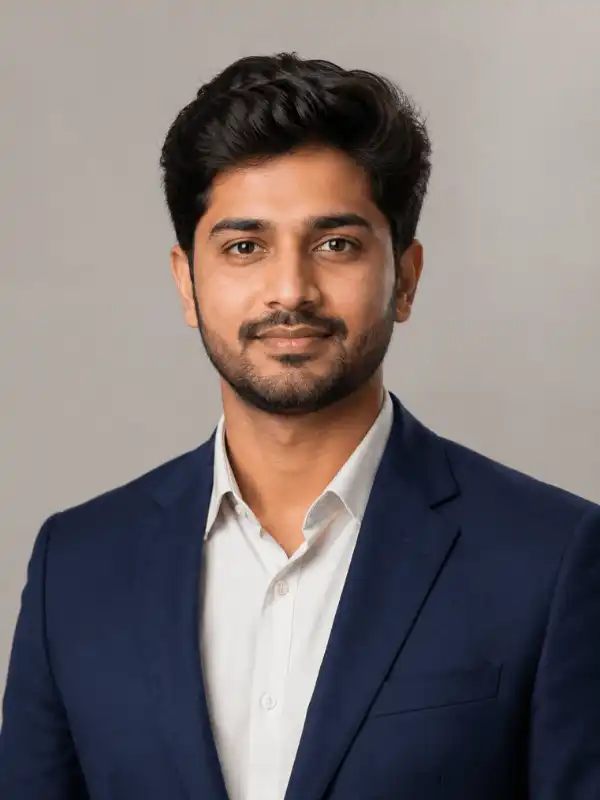
Create a clean head-and-shoulders professional portrait of an adult Indian person looking directly toward the camera. Dress the subject in a well-fitted navy blazer over a light neutral shirt. Use a natural confident expression, upright posture, realistic facial features, natural skin texture and neatly styled hair. Add a soft neutral studio background, balanced diffused lighting, subtle catchlights, accurate shoulders and professional corporate portrait photography. Use a centered composition and a 1:1 aspect ratio. Do not add company logos, job titles, certificates, text or watermarks.
Best for: Author boxes, Professional profiles, Portfolio pages, Business avatars.
Customize these details: adult subject, formal outfit, background tone, expression, crop, lighting.
Suggested image ratio: 1:1 or 4:5
Result and review note: The image should not imply employment, qualifications, awards or endorsements that are not real. Add those facts only in verified page copy, never through generated visual elements.
Browse more image prompt structures
Couple Image and Prompt
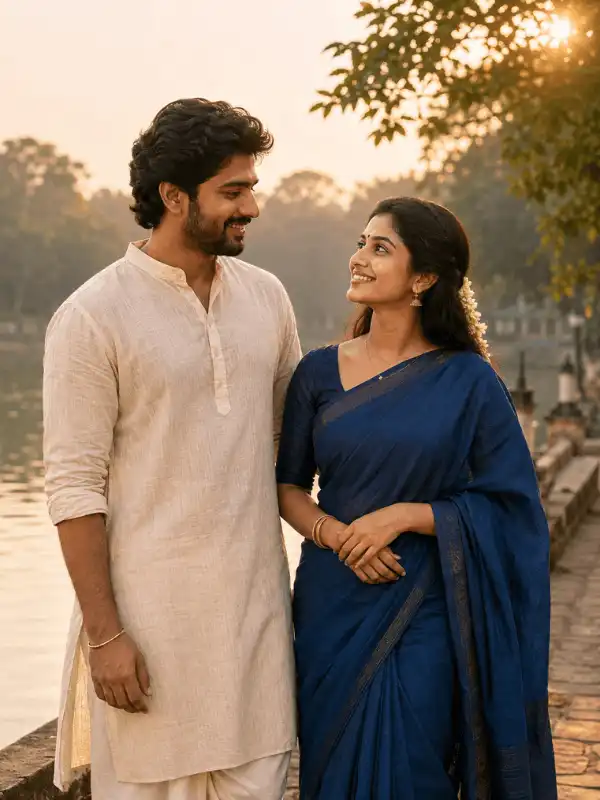
Create a warm, realistic portrait of an adult South Indian couple standing together beside a quiet lakeside walkway during golden hour. Dress the man in a simple cream kurta and the woman in an elegant deep-blue saree with minimal jewellery and jasmine flowers. Show them sharing a natural smile while looking at each other, with relaxed body language and respectful spacing. Add soft sunlight, gentle water reflections, realistic Indian facial features, natural skin texture, accurate hands, detailed fabric and premium romantic editorial photography. Use a 4:5 aspect ratio. No text, logos or watermarks.
Best for: Adult couple portraits, Anniversary concepts, Lifestyle posts, Romantic editorial images.
Customize these details: two adult subjects, clothing, pose, interaction, location, lighting, ratio.
Suggested image ratio: 4:5
Result and review note: Clearly keep both subjects adult. Check for duplicate people, merged hands, incorrect arm placement and false public-figure or relationship implications.
Explore dedicated couple prompt ideas
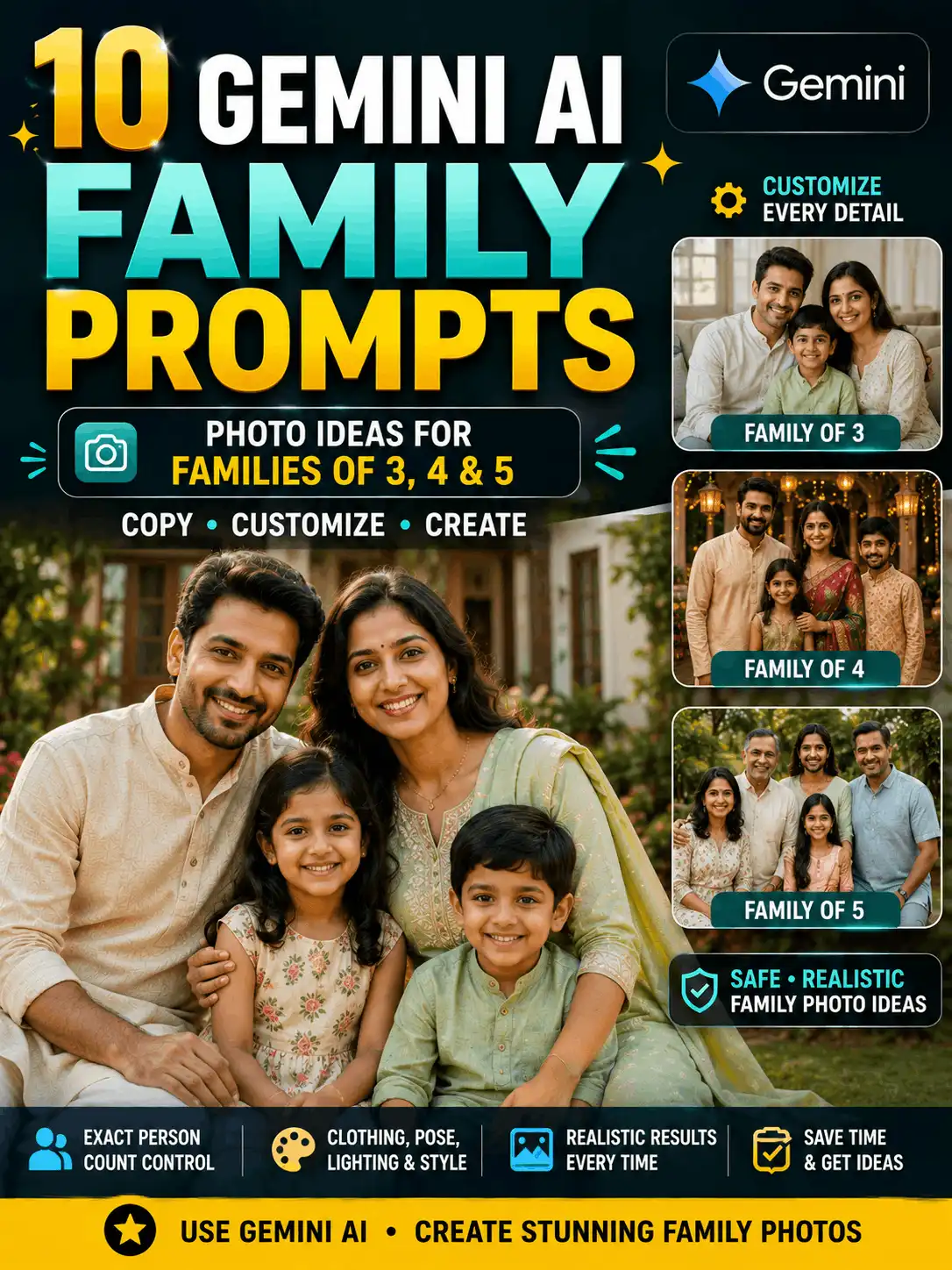
Family Image and Prompt
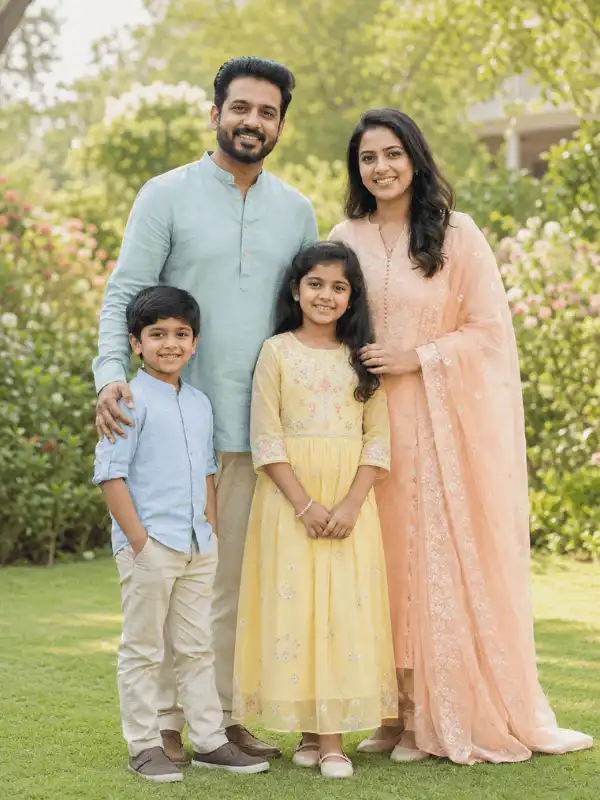
Create a realistic Indian family portrait featuring two adults and two children standing together in a bright garden during soft morning light. Dress the family in coordinated but not identical pastel outfits. Arrange everyone with natural spacing, age-appropriate poses and warm expressions while looking toward the camera. Use realistic Indian facial features, accurate relative heights, natural skin texture, detailed clothing, correct hands and professional family photography. Add soft greenery, gentle background blur and a balanced 4:3 composition. No text, logos or watermarks.
Best for: Family portraits, Greeting images, Home-display concepts, Family blog visuals.
Customize these details: number of people, approximate ages, clothing palette, arrangement, setting, expressions, ratio.
Suggested image ratio: 4:3 or 3:4
Result and review note: State the number of people clearly. Before publishing, verify age accuracy, relative body scale, duplicate faces, hands, fingers and the visual relationship between family members.
Aesthetic Social Image and Prompt
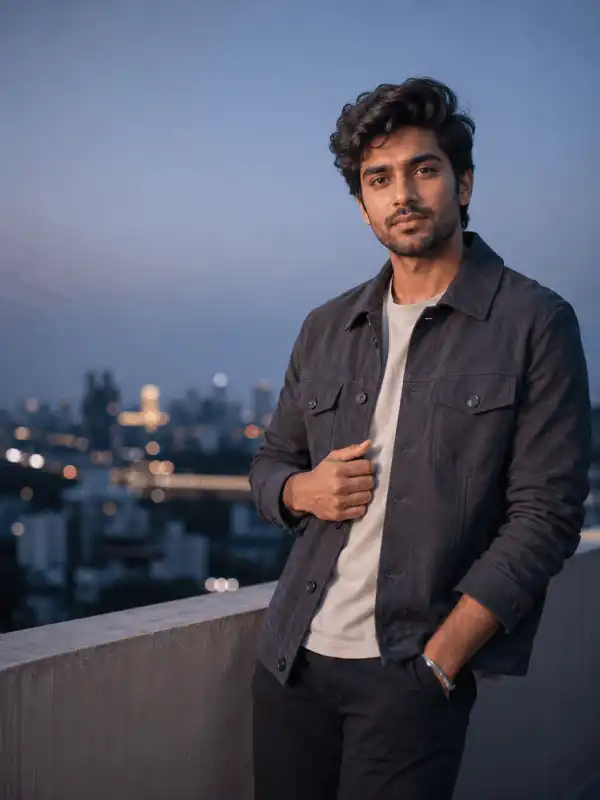
Create a clean modern portrait of an adult Indian creator standing on a city rooftop during blue hour. Dress the subject in a fashionable charcoal jacket over a simple neutral outfit. Show natural confidence, relaxed posture and direct eye contact. Add soft city lights, a subtle cool-and-warm color balance, realistic skin texture, detailed hair, accurate hands, gentle background blur and premium social-media editorial photography. Leave uncluttered negative space on one side for optional text to be added manually later. Use a 4:5 aspect ratio. Generate no text, logos or watermarks.
Best for: Instagram feed posts, Creator branding, Lifestyle portraits, Modern promotional visuals.
Customize these details: color palette, outfit, city setting, lighting, texture, framing, negative space.
Suggested image ratio: 4:5 or 9:16
Result and review note: Do not ask the image tool to generate important headline text. Add text manually after generation so spelling, alignment and accessibility remain under editorial control.
Explore aesthetic prompt ideas
Devotional Image and Prompt
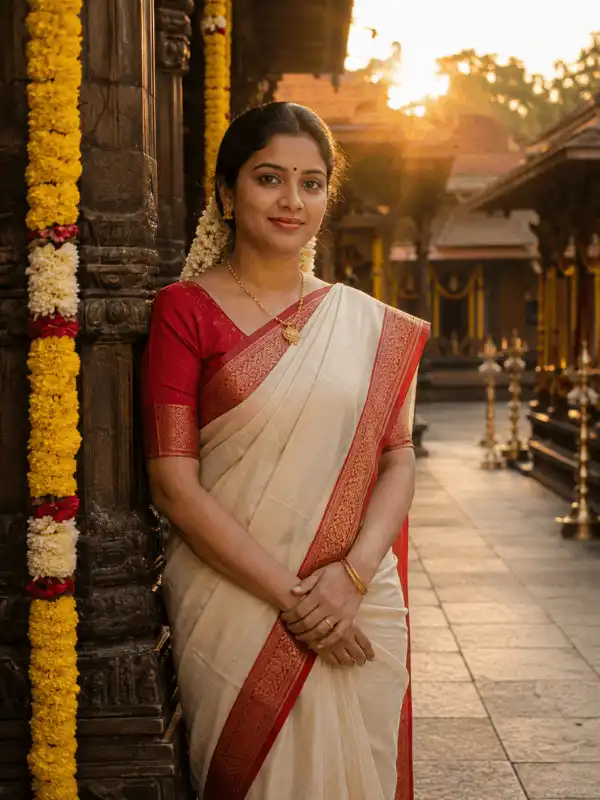
Create a respectful devotional portrait of an adult Indian woman standing quietly in a traditional temple courtyard at sunrise. Dress her in a modest cream-and-red saree with simple jewellery and jasmine flowers. Show a peaceful expression, natural posture and hands held gently together. Add soft golden rays, flower garlands, distant oil lamps, realistic Indian facial features, natural skin texture, accurate hands and detailed temple architecture. Use serene editorial photography, balanced warm colors and a 3:4 aspect ratio. No text, logos or watermarks.
Best for: Devotional portrait concepts, Respectful spiritual visuals, Festival editorial examples, Temple-atmosphere images.
Customize these details: adult subject, traditional attire, temple setting, flowers, lighting, symbolic details, ratio.
Suggested image ratio: 3:4
Result and review note: Label the example as AI-generated and do not present it as documentary, historical or religious evidence. Keep the wording respectful and avoid sensational claims.
Explore devotional AI image guides
How to Customize the Prompt
Do not treat the examples as fixed templates. The most useful changes are the details that control who appears, what they wear, how they are posed and where the scene takes place.
1. Change the subject
State whether the scene contains one adult, two adults or a family group. For multi-person images, specify the number of people and approximate age ranges. Avoid unnecessary sensitive personal details.
2. Change clothing and accessories
Describe the outfit type, main colors, fabric, jewellery and accessories. Keep the instructions compatible. For example, a simple linen shirt and a premium business suit should not be requested for the same subject unless layering is intentional.
3. Change the pose and expression
Use clear actions such as standing naturally, looking toward the camera, walking together, sitting beside a window or sharing a relaxed smile. Avoid complicated body instructions that make hands and limbs harder to generate accurately.
4. Change the background
Choose one main setting: a heritage courtyard, rooftop, garden, studio, lakeside path, temple courtyard or neutral interior. Add only the background details that support the scene.
5. Change the lighting and visual style
Choose one lighting direction and one main visual style. Golden-hour light, soft studio lighting, blue-hour city light and cinematic mist create very different results. Avoid asking for several conflicting styles in one prompt.
6. Choose the image ratio
Select the ratio for the final publishing format before generating. Changing the ratio later can crop clothing, hands, faces or important background details.
Recommended Image Ratios
| Ratio | Best use | Composition note |
| 1:1 | Square profile images and carousel cards | Center the subject and leave safe margins. |
| 4:5 | Portrait social-feed posts | Useful for full or three-quarter portraits. |
| 3:4 | Editorial portraits and prompt examples | Offers space for clothing and background detail. |
| 9:16 | Stories, Reels and vertical posters | Keep important faces and hands away from edges. |
| 16:9 | Blog covers and wide thumbnails | Use a strong focal subject and uncluttered side space. |
How to Check the Result Before Publishing
Compare the final output with the exact prompt displayed on the page. If the prompt was changed after generation, regenerate the image or restore the prompt that actually produced the result.
- Check face shape, eyes, skin texture and age accuracy.
- Inspect hands, fingers, arms and body proportions.
- Check jewellery, fabric borders, clothing edges and accessories.
- Look for duplicate people, repeated objects and broken background details.
- Remove random text, fake logos, watermarks and misleading symbols.
- Confirm permission for every uploaded reference photo.
- Avoid unauthorized celebrity or public-figure impersonation.
- Add an AI-generated-image caption or disclosure where appropriate.
AskExclusive should record the real tool, model name when available, test date, ratio and one short observation for each published example. See the prompt testing methodology and AI content and image disclosure.
Common Mistakes
Displaying an image that does not match the prompt
The most important rule on this page is that the displayed result must come from the prompt published beside it. A loosely related image turns the page into an unreliable gallery.
Separating the prompt from its image
Place the prompt directly below the matching result. Readers should not have to scroll through several images to discover which prompt belongs to which one.
Leaving placeholders unchanged
Remove bracketed notes and replace them with real details before testing. A prompt that still contains unfinished placeholders should not be described as the exact prompt used for the result.
Combining conflicting styles
Realistic photography, cartoon art, oil painting and 3D animation are different directions. Choose one main style unless a deliberate hybrid is part of the concept.
Forgetting the final publishing ratio
A wide blog cover, square profile image and vertical Reel require different framing. Choose the ratio before generation and inspect edge cropping on mobile.
Publishing without manual review
AI-generated images can contain subtle errors in hands, jewellery, text, clothing and backgrounds. Every result should be reviewed at full size before it is added to the page.
Which Example Should You Choose?
| Example type | Best use | Main customization | Ratio |
| Realistic portrait | Natural profile or editorial image | Subject, outfit, pose, setting | 3:4 |
| Traditional Indian | Cultural or festival-inspired portrait | Clothing, jewellery, courtyard | 3:4 or 4:5 |
| Cinematic | Mood-driven storytelling image | Atmosphere, light, camera angle | 3:4 or 9:16 |
| Professional profile | Author, business or portfolio image | Outfit, background, expression | 1:1 or 4:5 |
| Adult couple | Romantic or lifestyle portrait | Two adults, interaction, location | 4:5 |
| Family | Balanced multi-person portrait | People count, ages, spacing | 4:3 or 3:4 |
| Aesthetic social | Creator or Instagram visual | Palette, outfit, negative space | 4:5 or 9:16 |
| Devotional | Respectful spiritual portrait | Attire, setting, symbolic details | 3:4 |
Frequently Asked Questions
What does image with prompt mean?
An image with prompt example pairs an AI-generated result with the written instructions used to create it. A useful example keeps the result and prompt together, then explains which details can be changed.
Can I copy these prompts?
Yes. Copy a prompt as a starting point, then change the subject, clothing, pose, background, lighting, style and ratio. Customizing several details helps the result fit your own idea.
Will the same prompt create the same image?
Not always. AI tools can return different outputs from the same prompt because the model, settings, random variation and any uploaded reference image can influence the result.
Can I use my own photo with these prompts?
Use a reference photo only when you own it or have permission to edit it. Check the selected tool’s current reference-image features and privacy terms before uploading personal images.
Which image ratio should I choose?
Use 1:1 for square profiles, 4:5 for portrait social posts, 3:4 for editorial portraits, 9:16 for Stories or Reels and 16:9 for wide blog covers.
Can I use an AI-generated image commercially?
Commercial-use rules depend on the tool, account type, source material and current terms. Verify the official terms for the exact tool you use before publishing or selling an image.
How should I label AI-generated images?
Use a clear caption or disclosure near the image when appropriate, especially for realistic, devotional or potentially misleading scenes. Do not describe an AI-generated result as an authentic photograph of a real event.
Related Prompt Guides
- AI Prompt Archive
- Image Prompts
- Couple Prompt
- Family Photo Prompts
- Aesthetic Prompt
- Cinematic Photo Prompt
Final Thoughts
Select the example closest to your goal, change the main subject and scene details, choose the correct ratio and generate an original result. Keep the final image beside the exact prompt that produced it, then review faces, hands, clothing, text and background details before publishing.
About the Author
Swetha is an AI Prompt Creator and Digital Content Specialist. She is an MCA graduate with five years of experience in blogging, YouTube and social media, plus two years of experience in AI prompt creation. She uses Gemini and ChatGPT regularly to create and review practical prompt ideas and beginner-friendly guides for AskExclusive.
Written and manually reviewed by Swetha.
AI Image Disclosure
| Some example images on this page may be created using AI image-generation tools. They are provided for educational and creative demonstration purposes. Results can vary by tool, model, settings and reference image. |