
Dress Change Prompt for AI Photo Editing
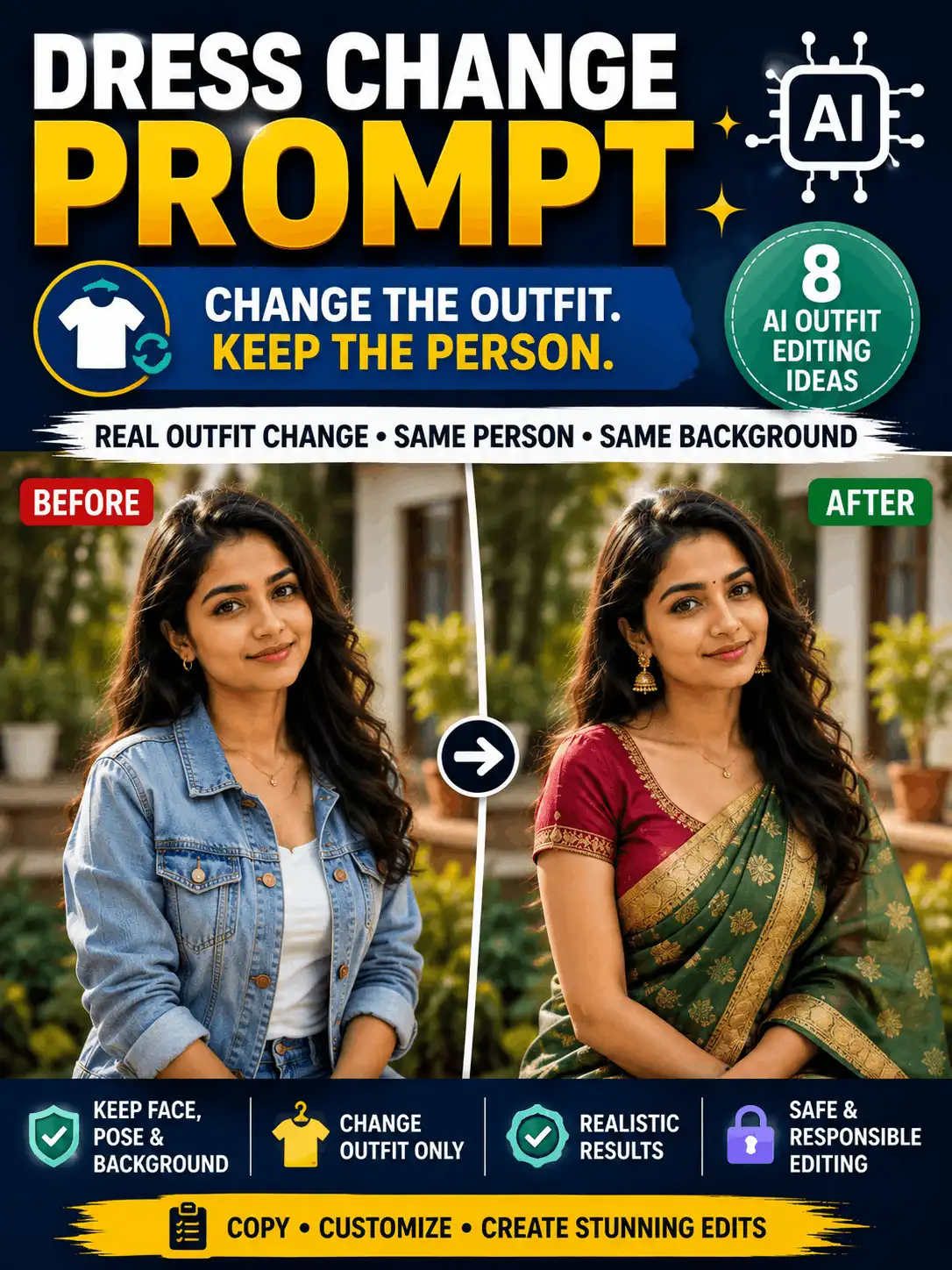
A useful dress change prompt tells an AI editor exactly which clothing to replace and which parts of the original photo must stay unchanged. The goal is to change the outfit, not the person, pose, body proportions, setting or lighting.
This guide provides a reusable prompt formula, a beginner-friendly workflow and eight copy-ready outfit-editing examples for traditional, formal, casual, festival and studio looks. Use only a photo you own or have permission to edit. Results can vary by tool, model, source image and settings, so inspect the face, hands, garment edges, body proportions, background and visible text before sharing the result.
| QUICK ANSWER A dress change prompt is an editing instruction that replaces or restyles clothing while preserving selected parts of the original image. Describe the new outfit, color, fabric, fit and accessories, then state that the face, hairstyle, pose, hands, body proportions, background, lighting and framing must remain consistent. |
| CONSENT AND SAFETY Use only a permitted photo. Do not create undressing, nudity, sexualized transformations, inappropriate edits involving minors, deceptive uniforms, fake credentials, false endorsements or misleading event images. |
What Is a Dress Change Prompt?
A dress change prompt is an instruction that asks an AI image editor to replace, restyle or modify clothing while keeping the same subject and the rest of the photograph consistent. It can change a complete outfit, a single garment, or only the color and material.
The task is different from a face swap, character replacement, body reshaping or background edit. A good instruction has two clear parts: what to change and what to preserve. For broader transformation topics, visit the AI Photo Editing Archives.
| Instruction group | What it should contain |
| Change | Garment type, color, fabric, fit, sleeves, length, pattern, border, jewellery and footwear. |
| Preserve | Identity, face, age appearance, skin tone, hair, expression, pose, hands, body proportions, background, lighting and framing. |
| Match | Fabric folds, seams, garment-body contact, shadows, highlights, perspective and camera depth. |
| Avoid | Face changes, body reshaping, undressing, extra limbs, broken garment edges, logos, random text, deceptive uniforms and unrelated scene changes. |
Before You Edit a Photo
- Use only an image you own, created yourself, licensed or have permission to edit.
- Choose a clear, well-lit source with visible clothing boundaries and limited overlap from hands, bags or hair.
- Decide whether only clothing should change or whether the crop may be extended. Keep unrelated edits out of the same request.
- Record whether the source is a personal photo, licensed image or AI-generated test subject.
- Avoid false police, military, medical, legal, political, school or company roles created through uniforms, badges or credentials.
- Do not create revealing, humiliating or sexualized clothing transformations without clear adult consent. Never use minors in adult-fashion or sexualized contexts.
AI-edited examples should be labelled clearly. Review the AI content and image disclosure before publishing.
Dress Change Prompt Formula
| Same recognizable adult subject + clothing region to replace + target outfit + color + fabric + fit + relevant accessories + preserved face, hair, expression, pose, hands, body proportions, background, lighting and framing + realistic fabric and shadow requirements + aspect ratio + short negative instructions |
Fill-in version
| Edit only the [garment or clothing region] in the uploaded photo. Replace it with [target outfit] in [color and fabric], using [fit, sleeves, length, pattern, border and accessories]. Render realistic seams, folds, texture and shadows. Preserve exactly the same recognizable adult subject, face, skin tone, hair, expression, pose, hands, body proportions, background, lighting, camera angle and crop. No face change, body reshaping, extra limbs, random text, logos, watermarks or background change. Use a [ratio] composition. |
Do not stack conflicting outfit descriptions. One coherent garment, fabric and level of formality is easier to control than a prompt that combines casual, royal, ceremonial and studio styling.
How to Write the Prompt Step by Step
1. Confirm permission: Use only a photo you own, created yourself, licensed or have clear permission to edit.
2. Identify the clothing region: Name the garment or clothing area that should be replaced. Do not ask for unrelated face, body or background changes.
3. Describe the new outfit: Specify garment type, color, fabric, fit, sleeves, length, pattern and accessories in concrete visual terms.
4. Lock unchanged details: List the face, hair, expression, pose, hands, body proportions, background, lighting, crop and important objects that must stay the same.
5. Request realistic integration: Ask for natural seams, folds, fabric texture, garment-body contact, highlights and shadows that match the source image.
6. Generate and compare: Check the result beside the source. Review identity, hands, garment edges, body proportions, background and text.
7. Revise one problem at a time: Simplify the outfit or remove accessories when the editor changes too much. Use a localized selection or mask when the current tool supports it.
Document meaningful revisions and publish the prompt that actually produced the displayed result. Use the prompt testing methodology for consistent review notes.
Best Dress Change Prompt Ideas
The eight examples below cover distinct editing needs rather than near-duplicate fashion variations. Each is an illustrative template until AskExclusive adds a permitted source image, the matching output, real tool or model details, test date and result note.
Color and Fabric Change Only
| ORIGINAL BEFORE-AND-AFTER INSERTION POINT dress-color-fabric-change-example.webp Create the result from the exact prompt below and use a permitted source image. Alt text: Same adult portrait before and after changing clothing color and fabric Caption: Controlled clothing color and fabric edit. AI-edited demonstration; results may vary. |
Prompt 1
| Edit only the clothing in the uploaded photo. Keep the existing garment shape, fit, length, sleeves, neckline and overall design unchanged. Change the garment color from [original color] to [target color] and change the material to realistic [cotton, silk, linen, denim or velvet]. Preserve natural seams, folds, stitching, texture, highlights and shadows so the fabric matches the original lighting. Preserve exactly: the same recognizable adult subject, facial features, skin tone, expression, hairstyle, pose, hand position, body proportions, accessories, footwear, background, camera angle, crop, depth of field and lighting. Do not change the garment outline or add extra clothing. No body reshaping, extra fingers, random text, logos or watermarks. Use a [3:4 or 4:5] portrait ratio. |
| Best for | Beginners, low-risk testing and small wardrobe variations. |
| Customize | Target color, material, pattern, border, shine level and texture. |
| Preserve | Garment shape and fit, identity, pose, hands, scene and lighting. |
| Suggested ratio | 3:4 or 4:5 |
| Negative instructions | No face change, body reshaping, garment-shape change, extra accessories, text or logos. |
| Review | Compare the garment outline, seams, hands and shadows with the source. Test one material or color change at a time. |
| Testing status | Illustrative prompt. Add real test data before publication. |
Related guide: prompt testing methodology.
Traditional Saree Outfit Change
| ORIGINAL BEFORE-AND-AFTER INSERTION POINT traditional-saree-dress-change-prompt.webp Create the result from the exact prompt below and use a permitted source image. Alt text: Adult Indian woman before and after a realistic saree outfit change Caption: Traditional saree outfit edit created from the displayed prompt. AI-edited example; results may vary. |
Prompt 2
| Replace only the current clothing of the adult woman in the uploaded photo with a realistic [color] [silk, cotton or chiffon] saree. Use a [simple, zari or embroidered] border, a coordinated modest blouse with [sleeve style], a natural regional drape and restrained [gold or silver] jewellery. Render accurate fabric folds, pleats, pallu flow, stitching, waist contact and shadows. Keep footwear and accessories only when specified. Preserve exactly: the same recognizable face, age appearance, skin tone, expression, hairstyle, pose, hands, fingers, body proportions, camera angle, framing, background, lighting and depth of field. Do not reshape the body, change the face, add extra limbs, alter the setting or mix unrelated cultural details. No random text, logos or watermarks. Use a 3:4 or 4:5 portrait ratio. |
| Best for | Traditional adult portraits and culturally coherent wardrobe edits. |
| Customize | Saree color, fabric, border, drape, blouse, jewellery and footwear. |
| Preserve | Face, hair, pose, proportions, hands, background and lighting. |
| Suggested ratio | 3:4 or 4:5 |
| Negative instructions | No revealing redesign, changed identity, mixed regional styling, broken drape, extra fingers or background change. |
| Review | Check pleats, pallu continuity, blouse edges, jewellery symmetry, waist contact and hand placement. |
| Testing status | Illustrative prompt. Add real test data before publication. |
Related guide: image prompt ideas.
Kurta Pajama Photo Editor Example
| ORIGINAL BEFORE-AND-AFTER INSERTION POINT kurta-pajama-photo-editor-example.webp Create the result from the exact prompt below and use a permitted source image. Alt text: Adult Indian man before and after a kurta-pajama clothing edit Caption: Kurta-pajama outfit change example. AI-edited demonstration; results may vary. |
Prompt 3
| Change only the clothing of the adult man in the uploaded photo. Replace the current outfit with a well-fitted [color] [cotton, linen or silk-blend] kurta and coordinated pajama. Use a [band collar or simple collar], realistic buttons, natural sleeve folds and an appropriate kurta length. Add a plain waistcoat or shawl only when requested. Keep the styling coherent and suitable for [casual, festive or formal] use without mixing unrelated royal or ceremonial elements. Preserve exactly: the same recognizable face, skin tone, beard, moustache, hairstyle, expression, pose, hand placement, body shape, height, footwear, camera angle, background and lighting. Do not add uniforms, badges, political symbols, brand marks or extra accessories. No face change, body reshaping, extra limbs, random text or watermarks. Use a 3:4 or 4:5 ratio. |
| Best for | Traditional menswear edits and the kurta pajama photo editor use case. |
| Customize | Kurta color, fabric, length, collar, buttons, pajama fit, waistcoat and shawl. |
| Preserve | Face, hair, beard, pose, hands, silhouette, footwear and location. |
| Suggested ratio | 3:4 or 4:5 |
| Negative instructions | No official uniform, badge, false role, celebrity identity, mixed costume styles or changed body shape. |
| Review | Inspect beard edges, collar, sleeves, waist, pajama folds, shoes and arm-to-clothing contact. |
| Testing status | Illustrative prompt. Add real test data before publication. |
Related guide: Gemini prompts for men.
Formal Office Outfit Change
| ORIGINAL BEFORE-AND-AFTER INSERTION POINT formal-office-dress-change-example.webp Create the result from the exact prompt below and use a permitted source image. Alt text: Adult subject before and after changing to a formal office outfit Caption: Professional clothing edit without changing the person or background. AI-edited example. |
Prompt 4
| Replace only the current clothing of the adult subject with a clean professional outfit suitable for a neutral profile portrait. Use [a tailored blazer and shirt, a simple suit, a formal saree or a refined kurta] in [colors], with realistic fabric texture, natural fit, neat collar or neckline, accurate buttons and restrained accessories. Keep the outfit unbranded and do not add company marks, badges, certificates or award symbols. Preserve exactly: identity, facial features, skin tone, expression, hairstyle, pose, hand position, body proportions, background, lighting, camera framing and depth of field. Do not imply employment, professional qualification or endorsement. No uniform, logo, body reshaping, extra fingers, text or watermark. Use 1:1 for a square profile, 4:5 for social use or 3:4 for an editorial portrait. |
| Best for | Profile photos, author images, resumes and professional pages. |
| Customize | Blazer or suit, shirt, formal saree or kurta, palette and accessories. |
| Preserve | Identity, pose, proportions, original setting and camera framing. |
| Suggested ratio | 1:1, 4:5 or 3:4 |
| Negative instructions | No employer logo, uniform, badge, false credential, endorsement, face change or body reshaping. |
| Review | Inspect collar, lapels, sleeves, buttons, hands and clothing shadows. Ensure the image does not make a false professional claim. |
| Testing status | Illustrative prompt. Add real test data before publication. |
Related guide: professional photo prompt.
Casual Streetwear Outfit Change
| ORIGINAL BEFORE-AND-AFTER INSERTION POINT casual-streetwear-dress-change-example.webp Create the result from the exact prompt below and use a permitted source image. Alt text: Adult city portrait before and after a modern casual clothing change Caption: Casual outfit edit preserving the original person and environment. AI-edited example. |
Prompt 5
| Change only the clothing of the adult subject in the uploaded city portrait. Replace the current outfit with a modern casual look using a [plain shirt, T-shirt or top], [light jacket], [jeans or trousers] and [simple shoes] in a restrained [two- or three-color] palette. Render realistic pockets, zippers, seams, sleeve folds, hems, footwear contact and fabric texture. Use original unbranded styling rather than copied designer designs. Preserve exactly: the face, skin tone, hair, expression, pose, hand position, body proportions, accessories that are not being replaced, street location, background objects, daylight, shadows, camera angle and crop. Do not change the scene, add logos, alter body shape or generate extra people, fingers, text or watermarks. Use a 4:5 or 3:4 portrait ratio. |
| Best for | Everyday portraits, profile refreshes and social-media images. |
| Customize | Top, jacket, jeans or trousers, shoes, colors and simple accessories. |
| Preserve | Location, face, pose, proportions, natural light and background objects. |
| Suggested ratio | 4:5 or 3:4 |
| Negative instructions | No brand-heavy design, changed setting, altered face, body reshaping, broken garment edges or random text. |
| Review | Check pockets, zippers, sleeve ends, waist, shoes and natural contact between clothing and body. |
| Testing status | Illustrative prompt. Add real test data before publication. |
Related guide: image prompt ideas.
Festival Outfit Change
| ORIGINAL BEFORE-AND-AFTER INSERTION POINT festival-dress-change-prompt-example.webp Create the result from the exact prompt below and use a permitted source image. Alt text: Adult portrait before and after a culturally coherent festival outfit edit Caption: Festival clothing edit using respectful and coherent styling. AI-edited example; results may vary. |
Prompt 6
| Replace only the clothing of the adult subject with a respectful [festival or occasion]-appropriate outfit. Use [regional outfit type], [fabric], [colors], modest jewellery and footwear that belong to one coherent cultural style. Keep decoration restrained and preserve any existing setting unless a separate permitted background edit is requested. Render accurate garment construction, textile folds, ornaments and contact shadows. Preserve exactly: the same recognizable identity, age appearance, face, skin tone, expression, hair, pose, hands, body proportions, background, lighting, framing and all important scene objects. Do not mix unrelated religious or regional symbols. Do not add political messaging, copied logos, false event text or extra people. No face change, body reshaping, extra limbs or watermarks. Use a 3:4 or 4:5 ratio. |
| Best for | Family-safe adult festival portraits and occasion styling. |
| Customize | Occasion, regional outfit, fabric, palette, jewellery, footwear and modest accessories. |
| Preserve | Identity, pose, proportions, original scene, symbols and lighting. |
| Suggested ratio | 3:4 or 4:5 |
| Negative instructions | No mixed religious details, political message, false participation claim, changed identity, extra people or random text. |
| Review | Check clothing accuracy, ornaments, hands, setting consistency and whether symbols are respectful and relevant. |
| Testing status | Illustrative prompt. Add real test data before publication. |
Related guide: festival AI images.
Wedding Guest Outfit Change
| ORIGINAL BEFORE-AND-AFTER INSERTION POINT wedding-guest-dress-change-example.webp Create the result from the exact prompt below and use a permitted source image. Alt text: Adult wedding guest before and after an elegant clothing edit Caption: Wedding-guest outfit edit that does not imply a false ceremony role. AI-edited example. |
Prompt 7
| Change only the clothing of the adult subject to elegant wedding-guest attire. Use [outfit type], [color], [fabric], [embroidery level], restrained jewellery and suitable footwear. Keep the styling formal and celebratory, but do not turn the subject into a bride, groom or member of a real ceremony unless that role is accurate and permitted. Render natural folds, embroidery, garment edges and shadows that match the original photograph. Preserve exactly: the same face, age appearance, skin tone, hairstyle, expression, pose, hands, body proportions, relationship context, background, lighting and framing. Do not add wedding badges, names, dates, garlands, partners, guests or ceremony details. No false relationship or event claim, body reshaping, extra fingers, logos, random text or watermarks. Use a 4:5 or 3:4 ratio. |
| Best for | Elegant adult occasion portraits without false bride or groom claims. |
| Customize | Guest outfit, color, fabric, embroidery, jewellery, footwear and formality. |
| Preserve | Person, role, pose, original scene, relationships and lighting. |
| Suggested ratio | 4:5 or 3:4 |
| Negative instructions | No false bride/groom role, invented partner, ceremony, event text, changed identity or body reshaping. |
| Review | Check role accuracy, jewellery, garment edges, hands and whether the original setting remains unchanged. |
| Testing status | Illustrative prompt. Add real test data before publication. |
Related guide: wedding prompt ideas.
Studio Fashion Outfit Change
| ORIGINAL BEFORE-AND-AFTER INSERTION POINT studio-fashion-dress-change-example.webp Create the result from the exact prompt below and use a permitted source image. Alt text: Adult studio portrait before and after a controlled fashion outfit replacement Caption: Controlled studio fashion edit with unbranded adult styling. AI-edited example; results may vary. |
Prompt 8
| Replace only the clothing of the adult subject in the uploaded studio portrait. Use a refined editorial outfit with a [silhouette], [material], [color palette], [sleeve style] and [restrained accessories]. Keep the styling adult, non-suggestive and original. Render accurate seams, hems, garment structure, fabric texture and folds that respond naturally to the existing studio light. Do not add a designer logo, campaign title or copied brand pattern. Preserve exactly: facial identity, skin tone, expression, hairstyle, pose, hand position, body proportions, subject placement, studio backdrop, light direction, shadows, camera angle and crop. Do not change the face, body, background or pose. No extra limbs, duplicated accessories, floating fabric, text, logo or watermark. Use a 3:4 or 4:5 editorial ratio. |
| Best for | Controlled adult fashion concepts and editorial portrait testing. |
| Customize | Silhouette, fabric, palette, sleeves, accessories and styling level. |
| Preserve | Identity, pose, body proportions, studio background and light direction. |
| Suggested ratio | 3:4 or 4:5 |
| Negative instructions | No suggestive styling, designer logo, fake campaign, celebrity identity, body reshaping or background change. |
| Review | Inspect seams, fabric texture, clothing edges, body proportions and whether shadows still match the studio light. |
| Testing status | Illustrative prompt. Add real test data before publication. |
Related guide: AI image styles and effects.
How to Preserve the Face, Pose and Background
The most common failure in dress change photo editing is that the editor changes more than the outfit. Use a separate preservation block and name the important details explicitly.
- Identity: preserve facial structure, skin tone, expression, age appearance and recognizable features.
- Hair: preserve hairstyle, hairline, beard, moustache and fine strands around clothing edges.
- Pose: lock head direction, shoulder angle, hand position, stance and subject placement.
- Body: preserve height, build, silhouette and natural proportions. Clothing replacement must not become body reshaping.
- Scene: preserve background, floor, foreground objects, lighting direction, shadows, reflections, depth of field and camera crop.
- People count: preserve the exact number of people and do not add or remove partners, guests or family members.
When the current editor provides a mask or selection tool, restrict the editable region to clothing. Tool interfaces and features can change, so verify official documentation before publishing product-specific steps. Background replacement belongs in the background change prompt for Gemini guide.
Negative Instructions and Quality Checks
- No changed face, hairstyle, age appearance, body shape, pose or background.
- No extra fingers, limbs, duplicate jewellery, floating fabric or broken garment edges.
- No logos, badges, random letters, watermarks or fake campaign text.
- No revealing, sexualized or humiliating transformation.
- No false uniform, official role, employer, qualification, event or endorsement.
Before publishing, inspect the neckline, shoulders, sleeves, waist, hands, hems, footwear, jewellery contact points and garment-body shadows. Resolution enhancement is a separate task covered by the 8K photo editing prompt.
Common Dress Change Photo Editing Problems
| Problem | Likely reason | Targeted fix |
| Face or hair changed | The edit boundary is weak or too many changes are requested. | Repeat the identity-preservation list and request only the clothing change. |
| Body proportions changed | The new outfit silhouette encourages body reshaping. | State that pose, body shape, height and proportions must remain identical; simplify the garment. |
| Hands or arms are distorted | Sleeves, jewellery or crossed arms create difficult overlap. | Use simpler sleeves, remove overlapping accessories and review each hand closely. |
| Background changes | The prompt does not explicitly lock the scene. | State that the existing background, lighting, shadows, crop and camera angle must remain unchanged. |
| Fabric looks painted or plastic | The prompt lacks textile and lighting details. | Request realistic material texture, seams, folds, garment-body contact, highlights and shadows. |
| Garment edges are broken | Occlusion or a complex outfit creates unstable boundaries. | Use a clearer source image, simplify the garment and request clean natural edges. |
| Cultural styling looks inaccurate | Several regional or ceremonial styles are mixed. | Choose one coherent outfit, occasion and region; remove unrelated symbols and accessories. |
| Logo or random text appears | The outfit description includes brands or decorative writing. | Use unbranded clothing and request no generated text, logos or watermarks. |
| The tool ignores or refuses the edit | The current product may not support the workflow or the request may conflict with policy. | Check official documentation and policies, reduce the request to a permitted clothing-only edit and document limitations. |
How to Use an Online Photo Editor Dress Change Workflow
The phrase online photo editor dress change usually reflects tool-seeking intent, but AskExclusive should not claim to provide an editor unless it actually does. Use an interface-neutral workflow:
1. Choose a current tool that supports image upload and instruction-based or localized editing.
2. Review the tool’s privacy, upload, retention and usage terms before submitting a personal photo.
3. Select or mask the clothing region when that capability is available.
4. Paste a concise prompt with separate Change and Preserve instructions.
5. Generate a small number of alternatives and compare them with the source.
6. Reject results with identity drift, altered body proportions, broken garment edges, misleading text or background changes.
7. Save or publish only after a full manual review and appropriate AI-edit disclosure.
A cloth change photo editor should be evaluated by preservation quality rather than by a promise of instant or perfect results. Explore the AI image tools and generators category for relevant tool coverage.
Before-and-After Example Gallery
Publish six to eight original comparison pairs using the same source image within each pair. Place the exact prompt, source-image status, real tool or model name when known, test date, ratio, meaningful revision count and one honest observation beside every result.
| ORIGINAL GALLERY INSERTION POINT Add color/fabric, saree, kurta-pajama, formal, casual, festival, wedding-guest and studio-fashion before-and-after pairs. Do not reuse unrelated stock images or near-duplicate outputs. |
Which Outfit Edit Should You Choose?
| Outfit edit | Best use | Preservation difficulty | Ratio | Main review point |
| Color or fabric only | Beginner test and subtle variation | Low | 3:4 / 4:5 | Garment outline and texture |
| Traditional saree | Traditional adult portrait | High | 3:4 / 4:5 | Drape, pleats, hands and jewellery |
| Kurta pajama | Traditional menswear portrait | Moderate | 3:4 / 4:5 | Sleeves, waist, legs and beard edges |
| Formal office | Profile or professional image | Moderate | 1:1 / 4:5 / 3:4 | Collar, lapels and false role signals |
| Casual streetwear | Everyday social portrait | Moderate | 4:5 / 3:4 | Pockets, zippers, shoes and logos |
| Festival outfit | Family-safe occasion portrait | High | 3:4 / 4:5 | Cultural accuracy and symbols |
| Wedding guest | Elegant event styling | High | 4:5 / 3:4 | Role accuracy, jewellery and context |
| Studio fashion | Editorial clothing test | Moderate | 3:4 / 4:5 | Seams, silhouette and studio shadows |
Image Ratio and Framing Guidance
| Ratio | Best use | Framing note |
| 1:1 | Square profile images | Keep the face and shoulders inside safe margins. |
| 4:5 | Portrait feed posts | Good for half-length and full clothing visibility. |
| 3:4 | Editorial portraits and article examples | Provides room for garment details without excessive empty space. |
| 9:16 | Stories or Reels | Use only when the source or editor can extend the frame without distorting the body. |
| 16:9 | Featured image or before-and-after comparison | Use a horizontal split layout rather than stretching portrait subjects. |
Begin with a color or fabric change when learning the workflow. Complete ceremonial or highly detailed outfits require more review because drapes, jewellery, sleeves and body contact can create visible errors.
Frequently Asked Questions
What should a dress change prompt include?
Describe the clothing region to replace, the target outfit, color, fabric, fit and relevant accessories. Then list the face, hair, pose, hands, body proportions, background, lighting and framing that must remain unchanged.
How do I stop the AI from changing the face?
Use explicit identity-preservation wording and request only one clothing change at a time. State that facial structure, skin tone, expression, hairstyle and age appearance must remain exactly consistent with the source.
Can a cloth change photo editor keep the same pose?
It can be requested, but results vary. Lock the pose, hand position, body proportions, camera angle and subject placement. A source photo with clear clothing edges and minimal overlap is easier to edit.
How should I use an online photo editor dress change feature safely?
Use only a permitted photo, check current privacy and usage terms, select only the clothing region when possible, avoid deceptive or sexualized edits and review the final image before saving or sharing it.
What details help a kurta pajama photo editor result?
Specify the kurta color, material, length, collar, buttons, sleeve fit and pajama shape. Preserve the adult subject’s face, hair, beard, pose, hands, body proportions, footwear and setting.
Can I edit another person’s photo?
Only when you have appropriate permission and the edit is respectful and non-deceptive. Do not create humiliating, sexualized, false-role or misleading images of another person.
Why does the background change when I only request clothing?
The editor may interpret the request too broadly. Add a separate Preserve section that locks the background, lighting, shadows, camera angle, crop and every non-clothing object.
Can I create a police, military or company uniform?
Avoid edits that falsely imply an official role, credential, employment, authority or endorsement. Generic fashion should not include real badges, insignia, certificates or company marks.
Can I use edited images commercially?
Commercial use depends on the source image, current tool terms, account, jurisdiction and third-party rights. Verify official terms and confirm permission for every source photo, logo, design and person.
Related AI Photo Editing Guides
- AI Photo Editing
- AI Photo Editing Archives
- Transformations and Object Editing
- Background Change Prompt for Gemini
- Character Swap AI Guide
- 8K Photo Editing Prompt
- New Trending Photo Editing
- AI Image Tools and Generators
Final Thoughts
Start with a simple color or fabric change, then move to complete outfits after you understand how the editor handles identity, hands, body proportions and garment edges. Keep the principle clear: change the outfit, preserve the person and scene. Review every output for deceptive context, visible errors, text and logos before using it.
About the Author
Swetha is an AI Prompt Creator and Digital Content Specialist. She is an MCA graduate with five years of experience in blogging, YouTube and social media, plus two years of experience in AI prompt creation. She uses Gemini and ChatGPT regularly to create practical AI image prompts, photo-editing ideas and beginner-friendly guides for AskExclusive.
Written and manually reviewed by Swetha.
AI Image and Testing Disclosure
| DISCLOSURE Examples on this page may be AI-generated or AI-edited. Before publication, each displayed result should be created from the prompt shown beside it and should state the source-image status, real tool or model when known, test date, ratio and meaningful limitation. Results vary. Use only permitted images and do not use clothing edits to misrepresent a person, role, relationship, event or endorsement. |